What Is AI Headshot?
In today's digital-first world, your professional image matters more than ever. Whether you're updating your LinkedIn profile, applying for jobs, or building your personal brand, a polished headshot is essential. But professional photography sessions can cost hundreds of dollars and require scheduling, travel, and multiple outfit changes. That's where AI technology steps in to democratize professional imagery.
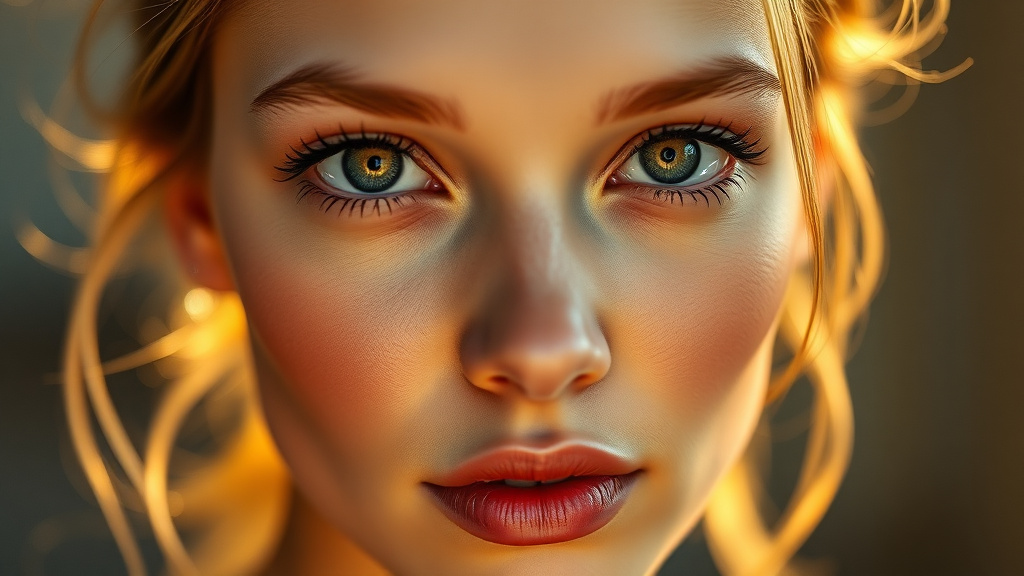
AI Headshot is a revolutionary tool that generates studio-quality professional headshots and portraits from a single selfie. Using advanced artificial intelligence and machine learning algorithms, this tool analyzes your facial features, lighting, and composition to create multiple professional-grade portraits that look like they were taken by an experienced photographer. The technology understands professional photography standards—proper lighting, flattering angles, appropriate backgrounds, and the subtle details that make headshots stand out.
Available as part of Luxoret's comprehensive suite of 200+ creative AI tools, AI Headshot makes professional imagery accessible to everyone. Whether you're a job seeker preparing application materials, an entrepreneur building your brand, a student creating academic profiles, or a professional refreshing your corporate image, this tool delivers results in minutes rather than days. Try AI Headshot free on Luxoret and experience the future of professional photography without the traditional costs or time investment.
Key Features
- Single Selfie Upload: Simply upload one casual photo and let the AI work its magic—no multiple angles or special equipment required
- Multiple Style Variations: Generate diverse headshot options with different backgrounds, lighting setups, and professional styles to match various contexts and industries
- Professional Quality Output: Receive high-resolution images suitable for print materials, digital profiles, and professional portfolios with crisp details and proper color balance
- Smart Background Replacement: Automatically removes distracting backgrounds and replaces them with professional studio-style backdrops in neutral tones or subtle gradients
- Lighting Enhancement: AI-powered lighting correction that mimics professional studio setups, eliminating shadows, balancing skin tones, and creating dimension
- Industry-Appropriate Styling: Choose from various professional aesthetics—corporate, creative, academic, or entrepreneurial—to match your field and personal brand
- Instant Processing: Generate multiple professional headshots in seconds, not weeks, allowing you to quickly update profiles across all platforms
How to Use AI Headshot: Step-by-Step
Best Use Cases
LinkedIn Profile Optimization: Stand out in the world's largest professional network with a polished headshot that conveys competence and approachability. LinkedIn profiles with professional photos receive 21 times more profile views and 9 times more connection requests. Use AI Headshot to create an image that makes recruiters and potential connections take notice.
Job Application Materials: Enhance your resume, CV, and job application portals with a professional headshot that makes a strong first impression. Many industries and international job markets expect or require professional photos with applications. Having a quality headshot ready ensures you're always prepared for opportunities.
Business Website and Marketing: Entrepreneurs, freelancers, and small business owners can create professional team photos and founder headshots without expensive photography sessions. Maintain a cohesive, professional look across your website, social media, and marketing materials that builds trust with potential clients.
Academic and Research Profiles: Professors, researchers, graduate students, and academics need professional headshots for university websites, conference materials, publication author pages, and grant applications. AI Headshot provides the scholarly, approachable image that academic contexts require.
Speaking Engagements and Events: Conference organizers, podcast hosts, and event planners frequently request speaker headshots. Having a professional image ready means you can quickly respond to opportunities and ensure your promotional materials look polished.
Social Media Branding: Content creators, influencers, and thought leaders can maintain professional consistency across platforms. While Instagram might showcase lifestyle content, having professional headshots available for Twitter, Facebook business pages, and YouTube channel art helps establish credibility and authority in your niche.
Pro Tips for Better Results
Start with the Best Source Photo: While AI Headshot works with casual selfies, starting with a higher-quality source image yields superior results. Use a photo taken in natural daylight near a window, ensure your face is the main focus, and choose an image where you're wearing professional attire. The AI enhances what's there—better input means better output.
Match Your Industry Standards: Different fields have different visual expectations. Corporate finance and law typically require conservative looks with neutral backgrounds and traditional attire. Creative industries like design, marketing, and entertainment allow for more personality and contemporary styling. Choose AI Headshot settings that align with your field's norms while still expressing your authentic self.
Generate Multiple Versions: Don't settle for the first result. Create several variations with different backgrounds and styles. You might use a more formal version for conservative professional contexts and a slightly more relaxed version for creative platforms or personal branding. Having options gives you flexibility.
Consider Your Expression: The best professional headshots capture genuine, approachable expressions. Choose source photos where you're offering a natural, confident smile or a warm, professional expression. Avoid overly serious or overly casual expressions unless they specifically match your brand and industry.
Update Regularly: Professional headshots should reasonably represent your current appearance. If your hairstyle, facial hair, or overall look has changed significantly, generate a new headshot. Consistency between your online image and in-person appearance builds trust and prevents awkward moments at networking events or interviews.
Frequently Asked Questions
Is AI Headshot free to use?
Yes, AI Headshot is available as part of Luxoret's free AI tool suite. You can generate professional headshots without any upfront costs, subscriptions, or hidden fees. Luxoret offers 200+ AI-powered creative tools accessible to everyone, making professional-quality content creation available regardless of budget constraints.
What file formats does it support?
AI Headshot accepts all common image formats including JPG, JPEG, PNG, and HEIC files. You can upload photos directly from your smartphone, digital camera, or computer. The tool outputs high-resolution images suitable for both digital use and print applications, ensuring versatility across all your professional needs.
How long does it take to generate a headshot?
The AI processing typically takes just seconds to complete. After uploading your source photo and selecting your preferences, you'll receive your professional headshots almost instantly. This speed allows you to quickly update profiles, respond to last-minute opportunities, or create multiple variations for different platforms without waiting.
Can I use the generated headshots commercially?
Yes, headshots generated through AI Headshot can be used for professional and commercial purposes including business websites, marketing materials, LinkedIn profiles, company directories, and promotional content. The images are created for your professional use across all contexts where a headshot is needed.
What makes a good source photo for AI Headshot?
The best source photos are clear, well-lit images where your face is the primary focus and you're looking directly at the camera. Natural lighting works better than harsh overhead lights or dark settings. While the photo doesn't need to be professional quality, clearer source images with good lighting produce superior results. Avoid photos with heavy filters, sunglasses, or significant obstructions.
How does AI Headshot compare to traditional photography?
AI Headshot offers significant advantages in cost, speed, and convenience compared to traditional photography sessions. While professional photographers provide valuable services for certain contexts, AI Headshot delivers professional-quality results in seconds rather than requiring scheduling, travel, session fees, and editing time. For most professional profiles and standard business needs, AI-generated headshots provide excellent results at a fraction of the traditional cost and time investment.
Can I create headshots for my entire team?
Absolutely! AI Headshot is perfect for creating consistent, professional headshots for entire teams, departments, or organizations. Simply have each team member provide a selfie, and you can generate matching professional headshots with consistent styling and backgrounds. This approach ensures visual cohesion on company websites and marketing materials without the logistics and expense of coordinating group photography sessions.
Start Creating with AI Headshot Today
Your professional image opens doors—don't let the cost or hassle of traditional photography hold you back. With AI Headshot, you're minutes away from a polished, professional headshot that elevates your personal brand across every platform. Try AI Headshot now — it's free and join thousands of professionals who've already discovered the future of professional photography.