What Is Beauty Enhancer?
In today's visual-first world, presenting polished, professional images is no longer optional—it's expected. Whether you're a content creator building your personal brand, a marketer crafting compelling campaigns, or a professional updating your LinkedIn profile, the quality of your photos speaks volumes before you say a word. That's where Beauty Enhancer comes in—an AI-powered retouching tool that brings professional-grade photo enhancement to everyone, regardless of technical skill or budget.
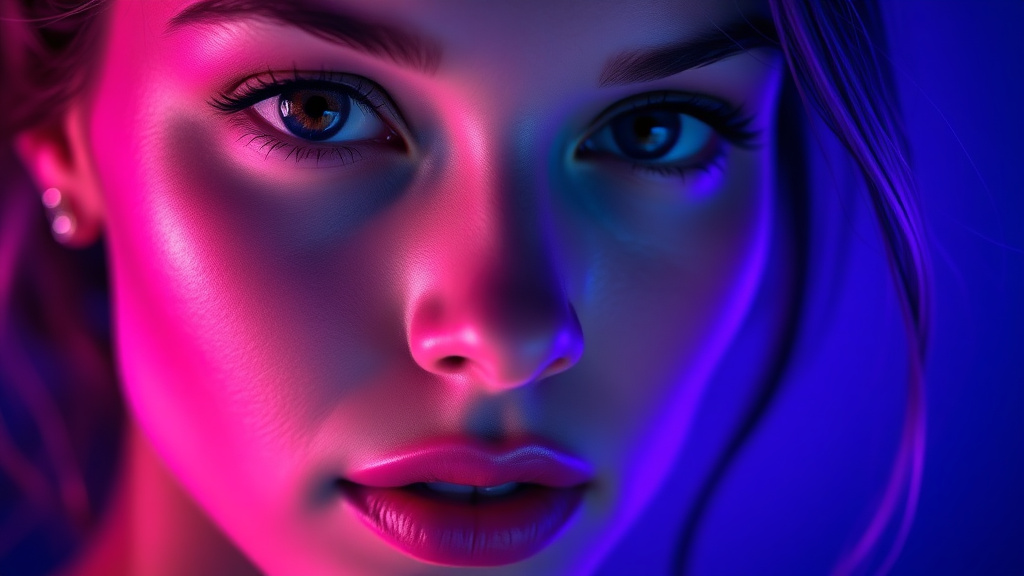
Beauty Enhancer leverages advanced artificial intelligence to analyze facial features and apply natural-looking enhancements that preserve your authentic appearance while smoothing imperfections. Unlike heavy-handed filters that create an artificial look, this tool uses sophisticated algorithms to subtly refine skin texture, remove temporary blemishes, and enhance facial features in a way that looks genuinely you. The result? Studio-quality portraits without the studio price tag or the steep learning curve of professional editing software.
Available as part of Luxoret's comprehensive suite of 200+ AI-powered creative tools, Beauty Enhancer democratizes professional photo retouching. Whether you're preparing headshots for your portfolio, enhancing product photography featuring models, or simply want your social media photos to look their best, this tool delivers impressive results in seconds. Best of all, you can try Beauty Enhancer free on Luxoret without any special software installation or prior editing experience.
Key Features
- AI-Powered Skin Smoothing: Advanced algorithms analyze skin texture and apply intelligent smoothing that reduces the appearance of fine lines, pores, and uneven texture while maintaining natural skin detail and avoiding the dreaded "plastic" look common with basic filters.
- Intelligent Blemish Removal: Automatically detects and removes temporary imperfections like acne, dark spots, and minor discoloration while preserving important facial features like freckles, moles, and natural skin characteristics that make you uniquely you.
- Natural Feature Enhancement: Subtly enhances eyes, lips, and facial contours using AI that understands facial geometry, creating brighter eyes, more defined features, and balanced proportions without crossing into unrealistic territory.
- Adaptive Processing: The AI adjusts its enhancement level based on the original image quality, lighting conditions, and existing skin tone, ensuring consistent, natural-looking results across different photos and lighting scenarios.
- Preservation of Authenticity: Unlike aggressive beauty filters, the tool is designed to enhance rather than transform, maintaining your recognizable appearance while presenting your best self—crucial for professional contexts where authenticity matters.
- Batch Processing Capability: Process multiple images with consistent enhancement settings, perfect for photographers, marketers, or anyone managing large photo libraries who needs efficiency without sacrificing quality.
- Instant Preview and Adjustment: See results in real-time and fine-tune enhancement intensity to match your preferences, giving you full control over the final look while still benefiting from AI automation.
How to Use Beauty Enhancer: Step-by-Step
Ready to transform your portraits? Try Beauty Enhancer now and see the difference AI-powered retouching makes.
Best Use Cases
Professional Headshots and LinkedIn Profiles: First impressions matter in professional contexts, and your profile photo is often the first thing potential employers, clients, or collaborators see. Beauty Enhancer helps you present a polished, professional image that looks natural and authentic while ensuring temporary imperfections don't distract from your qualifications and personality. Perfect for job seekers, entrepreneurs, and professionals across all industries.
Content Creator Profile Pictures: YouTubers, podcasters, bloggers, and social media influencers know that profile pictures serve as personal branding across multiple platforms. Beauty Enhancer ensures your profile images look consistently professional and engaging across YouTube, Instagram, TikTok, Twitter, and other platforms, helping you build a cohesive personal brand that attracts and retains followers.
E-commerce and Product Photography: For online retailers featuring models in product photos, presentation quality directly impacts conversion rates. Beauty Enhancer helps ensure that model photography looks professional and appealing, allowing products to shine while the models look their natural best. This is particularly valuable for fashion, jewelry, cosmetics, and lifestyle brands where visual appeal drives purchasing decisions.
Dating App Profiles: In the competitive world of online dating, your photos need to represent your best self while remaining authentic and recognizable. Beauty Enhancer strikes the perfect balance, helping you look great in your profile pictures without creating unrealistic expectations. The natural-looking enhancements ensure you'll still be recognizable when you meet in person.
Event Photography Enhancement: Wedding photographers, event planners, and individuals sharing photos from special occasions can use Beauty Enhancer to ensure everyone looks their best in group shots and portraits. The tool is especially valuable for quickly retouching large batches of event photos where individual manual retouching would be prohibitively time-consuming.
Portfolio and Resume Materials: Artists, models, actors, and creative professionals building portfolios need images that showcase their appearance professionally. Beauty Enhancer provides the polish expected in professional portfolios without the cost of hiring a professional retoucher for every image, making it easier to maintain an updated, impressive portfolio.
Pro Tips for Better Results
Start with Quality Source Images: While Beauty Enhancer works remarkably well across various image qualities, starting with a well-lit, properly exposed photo yields superior results. Natural lighting or professional lighting setups provide the AI with more information to work with, resulting in more nuanced and natural-looking enhancements. Avoid extremely low-resolution or heavily compressed images when possible.
Use Moderate Enhancement for Professional Contexts: When creating images for professional use like LinkedIn profiles, corporate headshots, or business websites, err on the side of subtlety. Use the intensity adjustment to dial back enhancements slightly, ensuring you look polished but completely authentic. Remember, these images represent you in professional contexts where credibility and trustworthiness matter.
Maintain Consistency Across Image Sets: If you're enhancing multiple photos for a portfolio, marketing campaign, or social media grid, apply similar enhancement levels to all images. This creates visual cohesion and prevents jarring differences between photos. The batch processing feature makes this easy, allowing you to apply consistent settings across multiple images efficiently.
Combine with Other Luxoret Tools: Beauty Enhancer works excellently as part of a comprehensive image editing workflow. Consider using it alongside other Luxoret image tools like background removers, image upscalers, or color correction tools to create truly professional results. The beauty enhancement can be one step in a multi-tool process that transforms ordinary photos into exceptional visual content.
Save Both Versions: Always keep the original, unenhanced version of your images alongside the enhanced versions. This gives you flexibility to use different versions for different purposes—perhaps a more enhanced version for social media and a subtler version for professional contexts. It also provides a backup if you later decide you want to re-process with different settings.
Frequently Asked Questions
Is Beauty Enhancer free to use?
Yes, Beauty Enhancer is available as part of Luxoret's free tier, allowing you to enhance images without any upfront cost. Luxoret offers 200+ AI-powered creative tools with free access, making professional-quality image enhancement accessible to everyone regardless of budget. For users with higher volume needs or requiring advanced features, premium plans are available with additional capabilities and higher usage limits.
What file formats does it support?
Beauty Enhancer supports all common image formats including JPG/JPEG, PNG, HEIC, and WebP. The tool automatically handles format conversion during processing, and you can download your enhanced images in your preferred format. For best results, upload high-resolution images in JPG or PNG format, as these provide the AI with maximum detail to work with during the enhancement process.
Will the enhancement look natural or artificial?
Beauty Enhancer is specifically designed to produce natural-looking results that enhance rather than transform your appearance. The AI algorithms are trained to preserve your unique features, skin texture, and authentic appearance while smoothing imperfections and enhancing facial features subtly. Unlike heavy-handed filters or aggressive retouching, the results maintain realism and authenticity, ensuring you remain recognizable and natural-looking.
Can I control how much enhancement is applied?
Absolutely. Beauty Enhancer includes intensity controls that let you adjust the strength of the enhancement effect. If the default setting feels too strong or too subtle for your preferences, you can easily dial the effect up or down until you achieve the perfect balance. This flexibility ensures the tool works for various use cases, from subtle professional headshot enhancement to more noticeable improvements for creative projects.
How long does processing take?
Processing times are typically very fast, usually completing within seconds for standard-resolution images. The exact time depends on factors like image size, resolution, and current server load, but Luxoret's optimized AI infrastructure ensures quick turnaround even during peak usage times. For batch processing multiple images, the tool processes them efficiently, making it practical even for users working with dozens of photos.
Does it work on group photos or only individual portraits?
While Beauty Enhancer is optimized for individual portraits where facial features are clearly visible, it can also process group photos. The AI will attempt to detect and enhance all faces in the image. However, for best results—particularly for professional use—individual portraits where the face occupies a significant portion of the frame yield the most impressive and nuanced enhancements.
Is my data private and secure?
Luxoret takes user privacy seriously. Images uploaded for enhancement are processed securely and are not used for any purpose beyond providing you with the enhanced result. The platform employs industry-standard security measures to protect your data, and you maintain full ownership of all images you upload and create. For detailed information about data handling, you can review Luxoret's privacy policy.
Start Creating with Beauty Enhancer Today
Whether you're polishing professional headshots, enhancing content creator profiles, or simply want your photos to look their absolute best, Beauty Enhancer delivers professional-quality results without the professional price tag or steep learning curve. With AI-powered intelligence that understands natural beauty and authentic enhancement, you'll achieve stunning results in seconds. Try Beauty Enhancer now—it's free and discover how easy professional photo retouching can be.