Tattoo Design AI: Create Custom Tattoo Art in 5 Styles
What Is Tattoo Design?
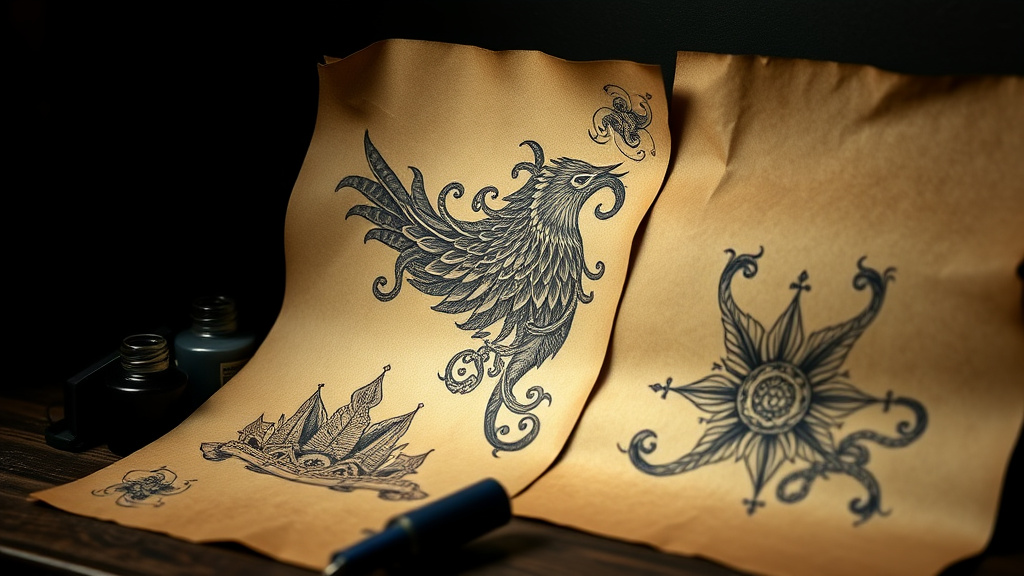
Tattoo Design is an innovative AI-powered tool that transforms your creative vision into stunning, custom tattoo artwork across five distinct artistic styles. Whether you're a tattoo artist seeking inspiration, someone planning their next piece of body art, or a graphic designer exploring new creative directions, this tool makes professional-quality tattoo design accessible to everyone. The AI understands the nuances of traditional tattoo artistry, from bold line work to delicate shading, and can generate unique designs that capture the essence of each style.
Available as part of Luxoret's comprehensive suite of creative tools, Tattoo Design eliminates the traditional barriers to creating custom tattoo artwork. Instead of spending hours sketching variations or hiring expensive designers for initial concepts, you can explore unlimited design possibilities in minutes. The tool supports traditional, geometric, watercolor, tribal, and neo-traditional styles—each with their own distinct aesthetic and cultural significance. Try Tattoo Design free on Luxoret and discover how AI can accelerate your creative process while maintaining artistic integrity.
What sets this tool apart is its understanding of tattoo-specific design principles. The AI considers factors like how designs will translate to skin, the importance of bold outlines for longevity, and the balance between detail and wearability. Whether you're conceptualizing a small minimalist piece or a full sleeve design, Tattoo Design provides a solid foundation for your artistic vision, helping you communicate ideas clearly with clients or tattoo artists.
Key Features
- Five Distinct Tattoo Styles: Choose from traditional (classic American/old school), geometric (sacred geometry and patterns), watercolor (soft, painterly effects), tribal (bold, cultural motifs), and neo-traditional (modern twist on classic designs) to match your aesthetic vision perfectly.
- AI-Powered Custom Generation: Advanced artificial intelligence creates unique, original designs based on your descriptions, ensuring you never receive cookie-cutter results or generic templates that lack personality.
- Instant Design Iterations: Generate multiple variations of your concept in seconds, allowing you to explore different compositions, elements, and arrangements without the time investment of manual sketching.
- Professional-Quality Output: Receive high-resolution artwork suitable for portfolio presentations, client consultations, or as reference material for tattoo artists to work from during actual sessions.
- No Design Experience Required: The intuitive interface makes professional tattoo design accessible to anyone, regardless of artistic background or technical skills, democratizing the creative process.
- Unlimited Creative Exploration: Experiment freely with different concepts, symbols, and styles without commitment, helping you refine your vision before making permanent decisions about body art.
- Free Access on Luxoret: Access this powerful design tool without subscription fees or hidden costs, making professional-grade tattoo design tools available to everyone in the creative community.
How to Use Tattoo Design: Step-by-Step
Best Use Cases
Tattoo Artists Building Portfolios: Professional tattoo artists can use this tool to rapidly generate concept art for their portfolios, showcase their range across different styles, and create visual references for client consultations. The AI-generated designs serve as excellent starting points that artists can then customize and refine with their personal touch.
First-Time Tattoo Seekers: Individuals planning their first tattoo often struggle to articulate their vision to artists. This tool helps bridge that communication gap by creating concrete visual representations of abstract ideas, making consultations more productive and ensuring the final result matches expectations.
Graphic Designers Exploring Tattoo Aesthetics: Designers working on projects that incorporate tattoo-inspired artwork—from clothing brands to poster designs—can use this tool to generate authentic-looking tattoo art without needing specialized knowledge of tattoo design conventions and techniques.
Content Creators and Illustrators: Digital artists, illustrators, and content creators can incorporate tattoo-style artwork into their projects, whether for character design, editorial illustrations, or social media content. The tool provides quick access to authentic tattoo aesthetics across multiple styles.
Students and Art Educators: Art students studying different illustration styles or tattoo history can use this tool to understand the distinctive characteristics of each tattoo tradition, comparing how the same subject matter transforms across traditional, tribal, geometric, and other styles.
Event Planners and Marketing Professionals: Those organizing tattoo conventions, creating promotional materials for tattoo-related events, or developing marketing campaigns targeting tattoo enthusiasts can generate custom artwork that resonates with their specific audience and aesthetic requirements.
Pro Tips for Better Results
Be Specific with Symbolism and Elements: Rather than requesting "a cool dragon," specify details like "a Japanese-style dragon coiled around a cherry blossom branch, with scales and flowing whiskers." The more descriptive you are about specific elements, composition, and symbolic meaning, the more aligned the results will be with your vision.
Consider Placement and Scale: Mention the intended body placement in your description, as this influences design composition. Designs for forearms might emphasize vertical elements, while shoulder pieces might benefit from circular or radiating compositions. This context helps the AI create more practical, wearable designs.
Match Style to Subject Matter: Certain subjects naturally align with specific styles—traditional style excels with nautical themes and pin-ups, geometric works beautifully for mandalas and sacred symbols, watercolor suits nature and abstract concepts, tribal complements cultural and spiritual motifs, and neo-traditional allows for creative reinterpretation of classic imagery.
Generate Multiple Variations: Don't settle on your first result. Generate 5-10 variations with slightly different descriptions to explore various interpretations of your concept. You might discover unexpected elements or compositions that enhance your original vision in ways you hadn't considered.
Use Results as Communication Tools: Remember that AI-generated designs are excellent references and conversation starters, not necessarily final tattoos. Share these designs with professional tattoo artists who can refine, customize, and adapt them to work optimally on skin while adding their artistic expertise to the final piece.
Frequently Asked Questions
Is Tattoo Design free to use?
Yes, Tattoo Design is completely free to use on Luxoret.com. There are no hidden fees, subscription requirements, or usage limits. You can generate as many tattoo designs as you need to explore your creative ideas and find the perfect concept for your project.
What file formats does it support?
The tool generates high-quality image files that can be easily downloaded and shared. The output formats are optimized for both digital viewing and printing, making them suitable for portfolio presentations, client consultations, or as reference images for tattoo artists.
Can I use these designs for actual tattoos?
The AI-generated designs are excellent references and starting points for actual tattoos. However, we recommend working with a professional tattoo artist who can refine the design, ensure it will translate well to skin, and customize it to fit your specific body placement and preferences. Professional artists bring essential expertise about how designs age on skin and technical execution.
Do I own the rights to designs I create?
Yes, designs you generate using the tool are yours to use for personal and commercial projects. You can use them in portfolios, share them with tattoo artists, or incorporate them into other creative work. The AI creates unique designs based on your input, making each generation original.
What's the difference between traditional and neo-traditional styles?
Traditional (or old school) tattoo style features bold black outlines, limited color palettes (primarily red, yellow, green, and blue), and iconic imagery like anchors, roses, and eagles. Neo-traditional builds on this foundation but incorporates more detailed shading, expanded color palettes, greater dimensional depth, and contemporary subject matter while maintaining the bold, readable quality of traditional work.
Can I request specific cultural or religious symbols?
Yes, you can describe specific symbols, cultural motifs, or religious imagery in your prompts. However, we encourage users to approach cultural symbols with respect and understanding, especially when considering permanent body art. Research the cultural significance and consider whether you have a meaningful connection to symbols from cultures other than your own.
How detailed should my design description be?
The more detailed your description, the better the results. Include information about main subjects, supporting elements, composition preferences, symbolic meaning, intended placement, and any specific details that matter to you. For example, instead of "wolf tattoo," try "howling wolf head in profile with geometric patterns in the fur, crescent moon background, neo-traditional style with purple and blue tones."
Can this tool create matching or complementary designs?
Absolutely! If you're planning multiple tattoos or want designs that work together aesthetically, you can generate complementary pieces by maintaining consistent style choices and thematic elements across multiple generations. Describe how you want pieces to relate to each other for best results.
Start Creating with Tattoo Design Today
Whether you're a professional tattoo artist seeking inspiration, someone planning their next piece of body art, or a creative professional exploring tattoo aesthetics for your projects, Tattoo Design offers an accessible, powerful way to visualize your ideas across five distinct artistic styles. The combination of AI technology and traditional tattoo artistry puts professional-quality design capabilities at your fingertips, completely free. Try Tattoo Design now — it's free and transform your creative vision into stunning tattoo artwork in seconds.