What Is Anime?
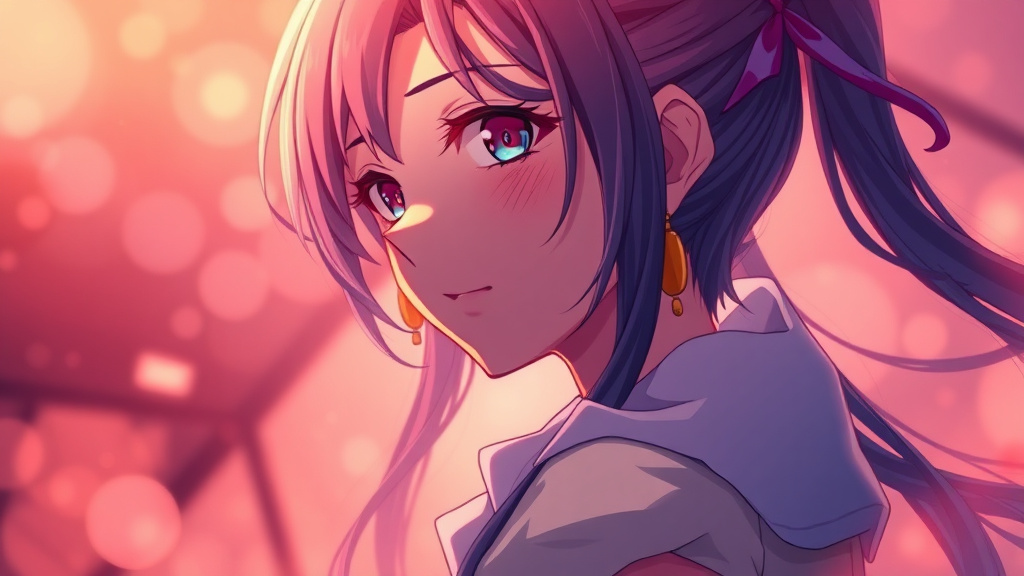
The Anime tool on Luxoret.com is a powerful AI-driven photo converter that transforms ordinary photographs into stunning anime, manga, and cartoon-style artwork. Whether you're looking to recreate the dreamy aesthetics of Studio Ghibli films, capture the bold lines of modern manga, or experiment with various cartoon styles, this versatile tool makes professional-quality anime art accessible to everyone—no artistic skills required.
Designed for creators, content marketers, social media enthusiasts, and anime fans alike, the Anime converter uses advanced artificial intelligence to analyze your photos and reimagine them through the lens of different anime art styles. The tool intelligently preserves facial features, expressions, and composition while applying the distinctive characteristics of your chosen anime style—from soft watercolor backgrounds to sharp manga linework and vibrant color palettes.
What sets this tool apart is its accessibility and variety. You don't need expensive software or years of digital art training to create eye-catching anime-style portraits, profile pictures, or creative content. Try Anime free on Luxoret and discover how quickly you can transform your visual content into captivating anime art that stands out across social media, marketing materials, and personal projects.
Key Features
- Multiple Anime Styles: Choose from a diverse range of anime aesthetics including Studio Ghibli's whimsical style, contemporary manga looks, classic anime from different eras, and various cartoon interpretations to match your creative vision.
- Intelligent Face Recognition: Advanced AI technology that accurately identifies and preserves facial features, expressions, and emotions while applying anime-style transformations, ensuring your subjects remain recognizable in their new artistic form.
- High-Quality Output: Generate professional-grade anime artwork with crisp lines, vibrant colors, and detailed rendering suitable for printing, social media posting, or commercial use without quality degradation.
- One-Click Conversion: Simple, streamlined interface that transforms your photos into anime art with minimal effort—just upload your image, select your preferred style, and let the AI handle the complex artistic conversion.
- Batch Processing Capability: Convert multiple photos efficiently, making it ideal for creating consistent anime-style content series, character sheets, or transforming entire photo collections.
- Customization Options: Fine-tune the intensity of the anime effect, adjust color saturation, and control various artistic parameters to achieve exactly the look you're envisioning.
- Instant Preview: See your anime transformation in real-time, allowing you to experiment with different styles and settings before committing to your final download.
How to Use Anime: Step-by-Step
Step 1: Upload Your Photo Navigate to the Anime tool and click the upload button to select a photo from your device. For best results, choose clear, well-lit photos with visible facial features. The tool works with portraits, group photos, selfies, and even full-body shots.
Step 2: Select Your Anime Style Browse through the available anime and cartoon styles. Preview how each style interprets your image—from the soft, painterly quality of Studio Ghibli to the bold lines and dramatic shading of modern manga. Consider your intended use when selecting a style.
Step 3: Adjust Settings (Optional) Fine-tune your conversion using the customization options. Adjust the intensity of the anime effect, modify color vibrancy, or tweak other artistic parameters to match your creative vision. You can always reset to defaults if you want to start over.
Step 4: Generate Your Anime Art Click the convert or generate button and let the AI work its magic. The processing typically takes just seconds, during which the advanced algorithms analyze your photo and apply the selected anime style transformations.
Step 5: Preview and Refine Review your anime-style creation. If you're not completely satisfied, try a different style or adjust the settings. The tool allows unlimited experimentation until you achieve the perfect result.
Step 6: Download and Share Once you're happy with your anime artwork, download the high-resolution file to your device. Use it for social media profiles, content creation, marketing materials, or personal projects. Ready to create your own anime art? Try Anime free on Luxoret and start transforming your photos today.
Best Use Cases
Social Media Content Creation Content creators and influencers use the Anime tool to create distinctive profile pictures, story highlights, and engaging posts that capture attention in crowded social feeds. Anime-style portraits generate significantly higher engagement rates and help build a unique personal brand aesthetic across Instagram, TikTok, Twitter, and other platforms.
Marketing and Brand Campaigns Marketing teams leverage anime-style conversions to create memorable campaign visuals, especially when targeting younger demographics or anime-enthusiast communities. Transform customer testimonials, team photos, or product imagery into anime art that resonates with specific audience segments and stands out in digital advertising.
Personal Gifts and Memorabilia Create unique, personalized gifts by converting cherished photos of friends, family, or pets into anime-style artwork. These custom creations make exceptional birthday presents, anniversary gifts, or decorative prints that combine personal meaning with artistic flair.
Gaming and Streaming Profiles Gamers, streamers, and content creators in the gaming community use the tool to generate anime-style avatars, channel art, and promotional graphics that align with gaming culture aesthetics. Create consistent branding across Twitch, YouTube, Discord, and gaming platforms.
Educational and Presentation Materials Educators and students transform standard photos into engaging anime-style visuals for presentations, educational content, and creative projects. The unique artistic approach helps capture attention and makes learning materials more memorable and visually appealing.
Fan Art and Creative Projects Anime enthusiasts and artists use the tool as inspiration for fan art, character design exploration, or to reimagine themselves and friends in their favorite anime styles. It's also valuable for storyboarding, concept art development, and creative experimentation without requiring advanced drawing skills.
Pro Tips for Better Results
Choose High-Quality Source Photos The quality of your anime conversion depends heavily on your source image. Use well-lit, high-resolution photos with clear facial features and good contrast. Avoid blurry, pixelated, or heavily filtered images, as these can produce less impressive results. Natural lighting and neutral backgrounds typically yield the most striking anime transformations.
Match Style to Subject Matter Different anime styles work better for different types of photos. Studio Ghibli styles excel with outdoor scenes and nature backgrounds, while modern manga styles are perfect for dramatic portraits. Experiment with multiple styles on the same photo to discover which aesthetic best captures the mood and personality of your subject.
Consider Your Final Use Case Think about where you'll use your anime art before selecting settings. Social media profile pictures benefit from bold, high-contrast styles that remain recognizable at small sizes. Print materials need high-resolution outputs with balanced color saturation. Marketing materials might require more subtle conversions that maintain brand consistency.
Experiment with Different Expressions The same person photographed with different expressions can produce dramatically different anime results. Smiling photos often translate beautifully into cheerful, approachable anime characters, while serious expressions create more dramatic, intense anime portraits. Try converting multiple photos from the same shoot.
Combine with Other Luxoret Tools Maximize your creative potential by using the Anime converter alongside other Luxoret image tools. Enhance your source photos before conversion, add text overlays after transformation, or create variations for A/B testing. The integrated platform makes it easy to develop complete visual content workflows.
Frequently Asked Questions
Is Anime free to use?
Yes, the Anime tool is available for free on Luxoret.com. You can convert photos to anime style without any upfront costs. Luxoret operates on a freemium model, offering generous free access to help you create stunning anime art. Premium features and higher usage limits are available for users who need advanced capabilities or bulk conversions.
What file formats does it support?
The Anime converter supports all common image formats including JPG, JPEG, PNG, and WebP. You can upload photos from your smartphone, digital camera, or any other source. The tool outputs high-quality files in formats optimized for both web use and printing, ensuring your anime art looks great wherever you use it.
How long does the conversion take?
Most photo-to-anime conversions are completed in just seconds, typically 5-15 seconds depending on image size and complexity. The AI processing happens in real-time, allowing you to experiment with different styles quickly. There's no waiting in queues or lengthy rendering times—you get instant results that you can refine and download immediately.
Can I use the anime art commercially?
Yes, artwork created with the Anime tool can be used for commercial purposes including marketing materials, social media content, merchandise, and client projects. However, you should ensure you have the rights to the original photograph you're converting. The AI transformation creates derivative artwork, but the underlying photo rights remain with the original photographer or subject.
What anime styles are available?
The tool offers a diverse range of anime and cartoon styles including Studio Ghibli-inspired aesthetics, modern manga looks, classic 90s anime styles, contemporary anime art, chibi/cute styles, and various cartoon interpretations. Each style has unique characteristics in terms of line work, color palette, shading techniques, and overall artistic approach. You can preview all styles before committing to your conversion.
Will my photos remain private?
Luxoret takes privacy seriously. Your uploaded photos are processed securely and are not used for any purpose other than generating your requested anime conversion. Images are not stored permanently on servers or used to train AI models without explicit permission. You maintain full ownership and control of both your original photos and the generated anime artwork.
Can I convert photos of pets or objects?
Absolutely! While the Anime tool excels at converting human portraits, it works beautifully with pet photos, objects, landscapes, and various other subjects. The AI adapts its approach based on what it detects in your image, applying appropriate anime-style transformations whether you're converting a cat portrait, a scenic landscape, or a product photo.
What if I don't like the result?
The tool is designed for experimentation. If your first conversion doesn't meet expectations, try a different anime style, adjust the settings, or use a different source photo. There's no limit to how many times you can experiment. Different styles can produce dramatically different results from the same photo, so exploring options is encouraged.
Start Creating with Anime Today
Transform your ordinary photos into extraordinary anime art in seconds with Luxoret's powerful AI-driven Anime converter. Whether you're building your personal brand, creating engaging content, or exploring your creative side, this versatile tool makes professional-quality anime art accessible to everyone. Try Anime now — it's free and discover endless creative possibilities.