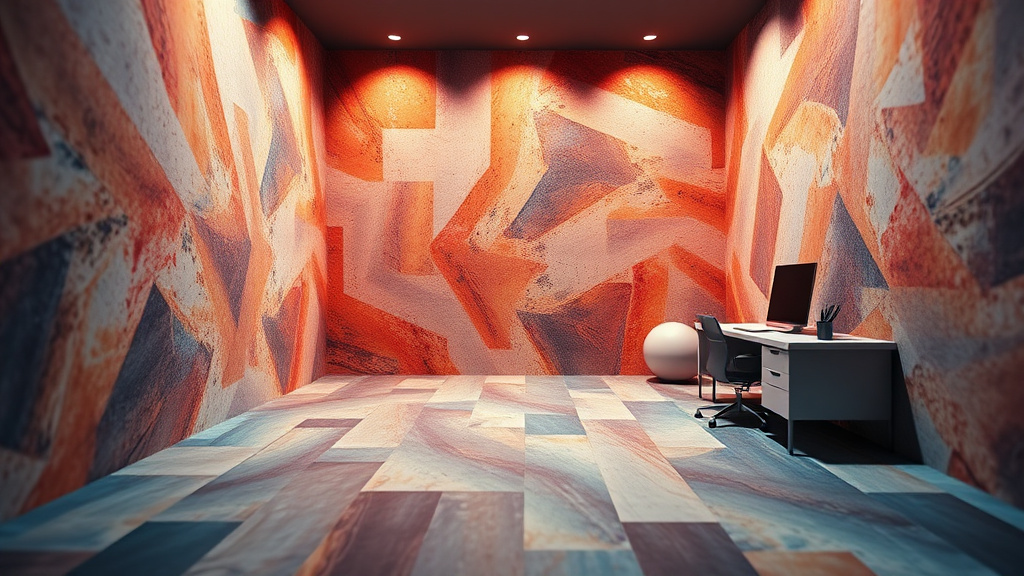
What Is Wall / Floor Style Changer?
Imagine being able to completely transform the look of any room without lifting a paintbrush, installing a single tile, or spending thousands on renovations. The Wall / Floor Style Changer is an AI-powered tool that makes this vision a reality. Simply upload a photo of any room, and within seconds, you can experiment with different wall colors, wallpaper patterns, and flooring materials—from elegant hardwood and sleek marble to cozy carpet and modern tile.
Whether you're a real estate agent staging properties, an interior designer presenting concepts to clients, a homeowner planning a renovation, or a content creator producing lifestyle content, this tool eliminates the guesswork from design decisions. Instead of relying solely on imagination or expensive mock-ups, you can see exactly how different styles will look in actual spaces before making any commitments.
Best of all, the Wall / Floor Style Changer is available completely free on Luxoret.com, an all-in-one AI platform with over 200 creative tools. No design experience required, no software installation needed—just upload, select your preferred style, and watch AI work its magic. Try Wall / Floor Style Changer free on Luxoret and start visualizing your dream spaces today.
Key Features
- Instant AI-Powered Transformations: Upload any room photo and receive realistic style changes in seconds, powered by advanced computer vision and generative AI technology that understands spatial relationships and lighting conditions.
- Comprehensive Wall Customization: Change wall colors to any shade imaginable, apply wallpaper patterns ranging from classic to contemporary, or experiment with textured finishes like exposed brick, wood paneling, or decorative tiles.
- Extensive Flooring Options: Visualize your space with hardwood in various wood tones, ceramic or porcelain tile, plush carpet, luxurious marble, practical laminate, modern concrete, or trendy vinyl plank flooring.
- Realistic Lighting and Shadow Preservation: The AI intelligently maintains the original lighting, shadows, and perspective of your room, ensuring transformations look natural and believable rather than artificially pasted on.
- No Design Skills Required: The intuitive interface makes professional-quality visualizations accessible to everyone, regardless of technical expertise or design background.
- High-Quality Output: Generate crisp, detailed images suitable for client presentations, social media posts, real estate listings, or personal planning documents.
- Unlimited Experimentation: Try as many different combinations as you want without any material costs, commitment, or mess—perfect for comparing options before making final decisions.
How to Use Wall / Floor Style Changer: Step-by-Step
Ready to transform your spaces? Start using Wall / Floor Style Changer and bring your interior design visions to life without any commitment or cost.
Best Use Cases
Real Estate Staging and Marketing: Real estate agents and property sellers can showcase a property's potential by presenting multiple design possibilities to prospective buyers. Instead of expensive physical staging, create digital renderings that help buyers envision how they could personalize the space with different flooring and wall treatments.
Interior Design Client Presentations: Interior designers can dramatically streamline their client consultation process by generating multiple design options from a single room photo. Present various color schemes, flooring materials, and wallpaper patterns during initial meetings, allowing clients to make informed decisions before any materials are purchased.
Home Renovation Planning: Homeowners planning renovations can eliminate costly mistakes by visualizing exactly how different materials and colors will look in their actual space. Compare hardwood versus tile in your kitchen, or test whether that bold wallpaper will work in your bedroom before making expensive purchases.
Content Creation for Social Media: Lifestyle bloggers, home improvement influencers, and design content creators can produce engaging before-and-after transformations, design inspiration posts, and tutorial content without actually renovating spaces. Generate multiple room variations to keep your content feed fresh and engaging.
Rental Property Improvements: Landlords and property managers can evaluate which cosmetic improvements will deliver the best return on investment by visualizing different options. Determine whether new flooring or a fresh wall color would make the biggest impact before allocating renovation budgets.
Student Design Projects: Interior design, architecture, and visual arts students can complete assignments and develop portfolios without access to expensive design software. Create professional-quality room visualizations for presentations, mood boards, and concept development exercises.
Pro Tips for Better Results
Use High-Quality Source Photos: The AI transformation will only be as good as your input image. Use photos with good lighting, minimal clutter, and clear views of the walls and floors you want to change. Avoid images with heavy shadows, extreme angles, or obstructions that block the surfaces.
Consider the Room's Lighting: Remember that wall colors and flooring materials look different under various lighting conditions. If your source photo was taken in bright natural light, the same colors might appear differently in evening artificial light. Generate multiple versions and consider the room's typical lighting when making final decisions.
Match Styles to Room Function: When experimenting with options, consider the room's purpose. High-traffic areas like entryways benefit from durable flooring like tile or hardwood, while bedrooms might look cozier with carpet. Similarly, bold wallpaper might energize a home office but overwhelm a relaxation space.
Create a Cohesive Flow: If you're transforming multiple rooms, use the tool to ensure your flooring and wall choices create a cohesive design throughout your home. Generate transformations of adjacent spaces to see how different areas will work together visually.
Save Multiple Versions for Comparison: Don't just settle on the first result you like. Generate and save multiple variations, then compare them side-by-side. Sometimes a combination you didn't initially consider will emerge as the clear winner when viewed alongside alternatives.
Frequently Asked Questions
Is Wall / Floor Style Changer free to use?
Yes, the Wall / Floor Style Changer is completely free to use on Luxoret.com. There are no hidden fees, subscription requirements, or usage limits for basic transformations. Simply visit the tool, upload your photo, and start creating as many room transformations as you need.
What file formats does it support?
The tool accepts all common image formats including JPG, JPEG, PNG, and WebP. For best results, use high-resolution images (at least 1024x768 pixels) that clearly show the walls and floors you want to transform. The tool automatically optimizes your upload for processing.
How realistic are the AI-generated transformations?
The AI uses advanced computer vision to understand room geometry, lighting, and perspective, producing highly realistic transformations that maintain natural shadows and spatial relationships. While results are remarkably accurate, they're intended as visualization aids rather than exact predictions of final results, as real-world installations may vary based on lighting and material characteristics.
Can I use the transformed images commercially?
Yes, images generated with Wall / Floor Style Changer can be used for commercial purposes including real estate listings, client presentations, marketing materials, and social media content. The transformations you create are yours to use as needed for your business or projects.
What if the AI doesn't recognize my room correctly?
For optimal results, ensure your source photo clearly shows the walls and floors with minimal obstructions. If the AI struggles with a particular image, try uploading a photo taken from a different angle, with better lighting, or with less furniture blocking the surfaces you want to transform. Straight-on shots typically work better than extreme angles.
Can I transform outdoor spaces or commercial properties?
While the tool is optimized for interior residential spaces, it can also work with commercial interiors like offices, retail spaces, and restaurants. Outdoor transformations may produce less consistent results since the AI is specifically trained on interior room recognition and transformation.
How long does it take to generate a transformation?
Most transformations are generated within 5-15 seconds, depending on image size and server load. The AI processes your image, identifies walls and floors, applies your selected styles, and renders a realistic transformation—all faster than traditional design software could accomplish the same task.
Start Creating with Wall / Floor Style Changer Today
Whether you're planning a renovation, presenting design concepts, or simply exploring creative possibilities, the Wall / Floor Style Changer puts professional-quality interior visualization at your fingertips. Stop guessing how different styles will look and start seeing your options clearly with AI-powered transformations. Try Wall / Floor Style Changer now — it's free and discover how easy it is to reimagine any space in seconds.