Room Declutter AI: Transform Messy Spaces Into Clean Photos
Ever needed to showcase a room but couldn't get past the clutter? Whether you're listing a property, creating content for social media, or simply want to visualize how your space could look organized, messy backgrounds can undermine your message. Traditional photo editing requires hours of manual work, advanced skills, and expensive software. But what if artificial intelligence could instantly transform a cluttered room into a clean, organized space?
What Is Room Declutter?
Room Declutter is an AI-powered image transformation tool that automatically removes clutter, mess, and unnecessary items from room photographs. Simply upload any photo of an interior space, and the advanced AI analyzes the scene, identifies clutter and disorganized elements, then intelligently removes them while preserving the room's structure, furniture, and essential features. The result is a clean, organized version of your space that looks natural and professionally staged.
This tool is perfect for real estate agents preparing property listings, interior designers showcasing their vision, content creators needing clean backgrounds, homeowners planning renovations, or anyone who wants to see the potential of a space without the distraction of everyday mess. Unlike traditional photo editing that requires expertise in Photoshop or other complex software, Room Declutter delivers professional results in seconds with just one click. Best of all, you can try Room Declutter free on Luxoret without any design experience required.
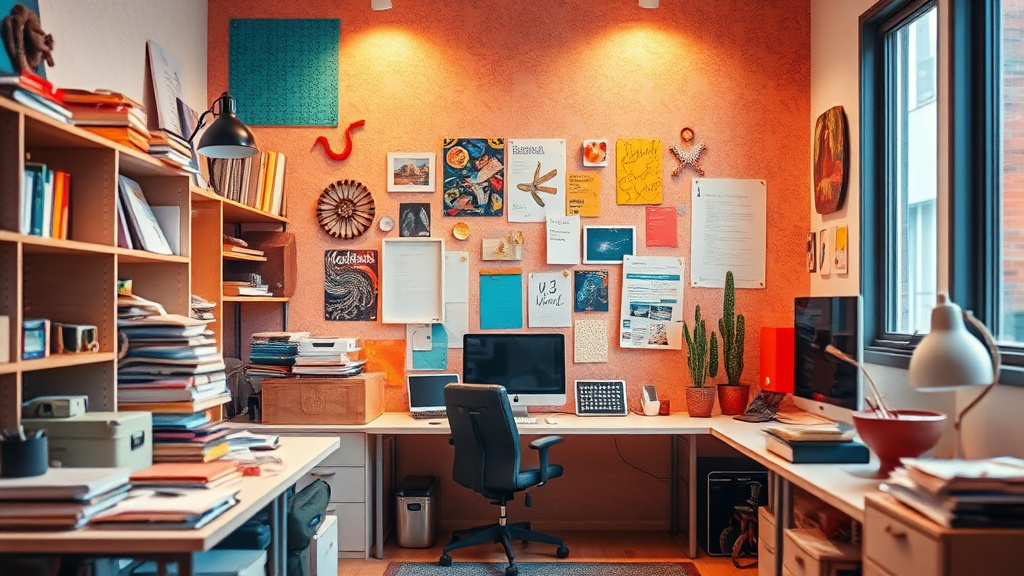
Whether you're dealing with scattered toys in a living room, paperwork covering a desk, clothes piled on a bed, or kitchen counters filled with appliances, Room Declutter's AI understands context and removes only the clutter while maintaining the room's character and essential elements. It's like having a professional photo editor and organizer working together to present your space in its best light.
Key Features
- Intelligent Clutter Detection: Advanced AI algorithms identify and distinguish between essential furniture, decor, and removable clutter, ensuring only unnecessary items are eliminated while preserving the room's character and purpose.
- Natural-Looking Results: The tool doesn't just delete objects—it intelligently fills in backgrounds, matches textures, and maintains proper lighting and shadows so the final image looks completely natural and unedited.
- One-Click Transformation: No manual selection, masking, or complex editing required. Simply upload your image and let the AI do all the work automatically in seconds.
- Multiple Room Types Supported: Works effectively across all interior spaces including bedrooms, living rooms, kitchens, offices, bathrooms, garages, and commercial spaces.
- High-Resolution Output: Maintains the quality and resolution of your original image, ensuring professional results suitable for listings, presentations, and marketing materials.
- Privacy-Focused Processing: Your room photos are processed securely and aren't stored or shared, making it safe to use for private spaces and confidential projects.
- Instant Preview and Download: See your decluttered room immediately after processing and download the cleaned image in standard formats ready for any use.
How to Use Room Declutter: Step-by-Step
Ready to see your space transformed? Try Room Declutter free on Luxoret and experience the power of AI-driven organization.
Best Use Cases
Real Estate Marketing: Agents and property sellers can transform listing photos even when the property isn't perfectly staged. Remove the current owner's clutter to help potential buyers visualize the space's true potential. Clean room photos generate more interest, longer viewing times, and faster sales compared to cluttered alternatives.
Interior Design Presentations: Designers can show clients the potential of a space by removing existing clutter and mess. Create compelling before-and-after presentations that demonstrate your vision without waiting for physical decluttering. Perfect for proposals, mood boards, and client consultations where you need to showcase possibilities.
Airbnb and Vacation Rentals: Property hosts can enhance their listing photos by removing personal items, guest belongings, or temporary clutter that accumulated between professional photo shoots. Maintain attractive listings without the constant expense of hiring photographers or the hassle of deep cleaning before every photo session.
Content Creation and Social Media: Influencers, bloggers, and content creators can ensure their backgrounds are always clean and professional, even when filming or shooting in real-life spaces. Remove distracting elements from room shots to keep audience focus on your message, product, or content without revealing personal clutter.
Home Renovation Planning: Homeowners can visualize how rooms will look after organization and decluttering before investing time in the actual cleanup. Use cleaned images to plan furniture arrangements, identify what to keep or discard, and motivate yourself by seeing the potential of your space.
Commercial Space Marketing: Businesses showcasing office spaces, retail locations, or commercial properties can present clean, professional images even during active business hours. Remove temporary signage, customer belongings, or operational clutter to highlight the space itself rather than momentary disorder.
Pro Tips for Better Results
Use Well-Lit Photos: The AI performs best with clear, well-illuminated images where objects and surfaces are easily distinguishable. Natural daylight or bright indoor lighting helps the algorithm accurately identify what's clutter versus what's permanent. Avoid heavily shadowed or dark photos where items blend together.
Capture the Full Room: Include complete views of the space rather than extreme close-ups. The AI uses context from the entire room to understand what belongs and what doesn't. Wide-angle shots that show walls, floors, and the overall layout produce more accurate decluttering than partial views.
Consider Your Final Use: If you're creating images for professional listings or marketing, start with the highest resolution photo possible. While the tool maintains your original quality, beginning with a high-resolution image ensures your final result looks crisp and professional at any size.
Process Before Other Edits: Run your photo through Room Declutter before applying filters, color corrections, or other enhancements. This ensures the AI has the most natural, unaltered image to work with, and you can apply your creative touches to the already-decluttered result.
Experiment with Different Angles: If one photo doesn't produce the exact result you want, try uploading the same room from a different angle or distance. Different perspectives can help the AI better understand the space's layout and produce more accurate clutter removal, especially in complex or heavily furnished rooms.
Frequently Asked Questions
Is Room Declutter free to use?
Yes, Room Declutter is completely free to use on Luxoret.com. You can upload and process room photos without any subscription, payment, or credit card required. Luxoret offers this tool alongside 200+ other AI-powered creative tools, all accessible for free to help creators, professionals, and anyone needing quick AI solutions.
What file formats does it support?
Room Declutter accepts the most common image formats including JPG/JPEG, PNG, and WEBP files. These formats cover virtually all photos taken with smartphones, digital cameras, or downloaded from the internet. Simply upload your image in any of these formats and the tool will process it automatically.
Will the tool remove furniture or important items?
No, the AI is designed to distinguish between essential room elements (furniture, fixtures, built-in features) and removable clutter (scattered items, mess, temporary objects). It preserves the room's character and permanent features while removing only the disorganized elements. However, results can vary based on photo quality and room complexity.
How long does processing take?
Most room photos are processed in just a few seconds. The exact time depends on image size and complexity, but you'll typically see your decluttered result within 5-10 seconds of uploading. The AI works automatically, so there's no waiting for manual editing or queue times.
Can I use the decluttered images commercially?
Yes, images you create with Room Declutter can be used for commercial purposes including real estate listings, marketing materials, social media content, and business presentations. You retain rights to your processed images. However, ensure you have rights to the original photo you're uploading.
What if I don't like the result?
If the decluttered version doesn't meet your expectations, you can try uploading a different photo of the same room from another angle, with different lighting, or with the original photo edited for better clarity. Each processing is free, so feel free to experiment. The AI performs best with clear, well-lit images that show the full room context.
Does the tool work on outdoor spaces?
Room Declutter is specifically optimized for interior spaces like bedrooms, living rooms, kitchens, offices, and other indoor environments. While you can upload outdoor photos, the AI is trained on indoor clutter patterns and may not produce optimal results for patios, yards, or exterior spaces.
Is my photo data kept private?
Yes, Luxoret processes your images securely and doesn't store or share your room photos. Your privacy is protected throughout the upload, processing, and download workflow. The tool is safe to use even for private spaces or confidential property images.
Start Creating with Room Declutter Today
Transform cluttered spaces into clean, organized showcases in seconds with the power of AI. Whether you're selling a property, creating content, or simply exploring your space's potential, Room Declutter delivers professional results without the professional price tag or time investment. Try Room Declutter now — it's free and discover how AI can revolutionize the way you present interior spaces.