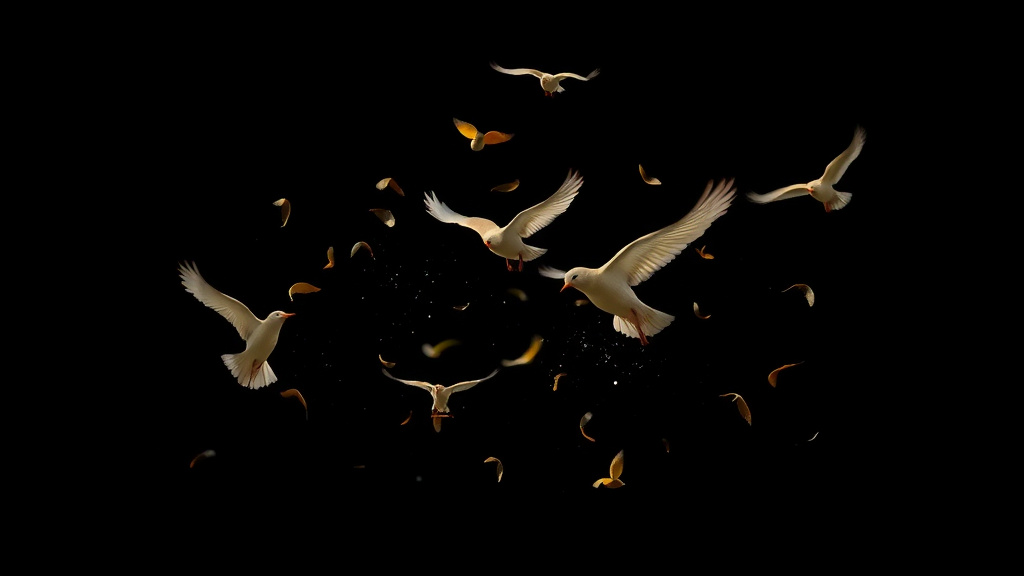
Stop Motion Animation Made Easy: AI-Powered Tool Guide 2024
What Is Stop Motion?
Stop motion animation has captivated audiences for over a century, from classic claymation films to modern advertising campaigns. Traditionally, creating stop motion required painstaking manual work—photographing physical objects frame by frame, making tiny adjustments between each shot. The process could take hours or even days to produce just seconds of footage. But what if you could harness the charming aesthetic of stop motion without the tedious production process?
Luxoret's Stop Motion tool revolutionizes this beloved animation style by using AI to generate authentic-looking stop motion clips with frame-by-frame movement and that distinctive handcrafted feel. Whether you're a content creator looking to add unique flair to your social media, a marketer seeking eye-catching visuals, or an educator wanting to engage students, this tool makes professional-quality stop motion accessible to everyone. Try Stop Motion free on Luxoret and discover how AI can transform your creative vision into charming animated clips.
The beauty of this tool lies in its ability to capture the imperfect, tactile quality that makes traditional stop motion so appealing—the slight jitters, the handmade aesthetic, the frame-by-frame charm—all without requiring physical materials, expensive equipment, or hours of meticulous photography. It's perfect for creators who want the distinctive stop motion look but need to work quickly and efficiently in today's fast-paced digital landscape.
Key Features
- Frame-by-Frame Animation Generation: Creates authentic stop motion movement with the characteristic slight variations and imperfections that give traditional stop motion its charm and personality
- Handcrafted Visual Style: Produces animations with a tactile, artisanal aesthetic that mimics the look of clay, paper, or object-based stop motion techniques
- Customizable Animation Parameters: Control the speed, style, and movement characteristics of your stop motion clips to match your creative vision and project requirements
- Quick Generation Process: Transform your ideas into finished stop motion clips in minutes rather than the hours or days required for traditional stop motion production
- Multiple Style Options: Choose from various stop motion aesthetics including claymation, paper cutout, object animation, and more to suit different creative needs
- High-Quality Output: Generate animations suitable for professional use across social media, marketing campaigns, presentations, and video projects
- No Physical Materials Required: Create stunning stop motion effects without needing clay, sets, lighting equipment, or photography gear—just your imagination and the AI tool
How to Use Stop Motion: Step-by-Step
Best Use Cases
Social Media Content Creation: Stand out in crowded social feeds with eye-catching stop motion animations. The distinctive handcrafted aesthetic naturally draws attention and encourages engagement, making your posts more memorable and shareable. Perfect for Instagram Reels, TikTok videos, YouTube intros, or Facebook posts that need that extra creative spark.
Product Demonstrations: Showcase products in a unique, engaging way that differentiates your brand from competitors using standard video. Stop motion animations can make even simple products feel special and artisanal, perfect for e-commerce brands, craft businesses, or any company wanting to emphasize quality and attention to detail.
Educational Content: Teachers and educational content creators can use stop motion to explain complex concepts, demonstrate processes, or create engaging lesson materials that capture student attention. The playful nature of stop motion makes learning more enjoyable while the frame-by-frame progression can help illustrate step-by-step processes clearly.
Marketing Campaigns: Create memorable advertising content that combines nostalgia with modern creativity. Stop motion's unique aesthetic can help brands tell stories, demonstrate value propositions, or create seasonal campaigns that resonate emotionally with audiences while standing out from typical video advertising.
Event Promotions: Generate buzz for events, launches, or announcements with animated teasers and promotional clips. Stop motion's whimsical quality makes it perfect for creating excitement and anticipation, whether you're promoting a concert, product launch, fundraiser, or community event.
Portfolio and Personal Branding: Creatives, freelancers, and professionals can use stop motion animations to make their portfolios more dynamic and memorable. Create unique intro animations, project showcases, or personal brand content that demonstrates creativity and technical capability.
Pro Tips for Better Results
Embrace Imperfection: The charm of stop motion lies in its slight irregularities and handmade quality. Don't aim for perfectly smooth animation—the characteristic jitter and frame-by-frame feel are what make stop motion distinctive and appealing. Let the AI capture those authentic imperfections that give the medium its personality.
Keep It Simple: Stop motion works best with clear, focused concepts. Rather than trying to animate complex scenes with multiple elements, start with simple movements and objects. A single object moving across the frame or a simple transformation can be more effective than an overly complicated scene.
Match Your Audio Carefully: If you're adding sound to your stop motion clips, choose audio that complements the playful, handcrafted aesthetic. Quirky sound effects, acoustic music, or whimsical soundtracks often pair beautifully with stop motion's unique visual style.
Consider Your Frame Rate: Experiment with different frame rates to achieve different effects. Lower frame rates create a choppier, more stylized look that emphasizes the stop motion aesthetic, while slightly higher rates produce smoother movement while maintaining the characteristic feel.
Think in Sequences: Plan your animations as part of a larger sequence or story. Individual stop motion clips can be powerful, but combining multiple clips into a cohesive narrative or demonstration creates even more engaging content. Think about how each animation connects to the next.
Frequently Asked Questions
Is Stop Motion free to use?
Yes! The Stop Motion tool is available free on Luxoret.com as part of our comprehensive suite of 200+ AI-powered creative tools. You can start creating charming stop motion animations immediately without any upfront costs or subscription requirements. Simply access the tool and begin bringing your ideas to life.
What file formats does it support?
The Stop Motion tool generates animations in standard video formats that are compatible with most platforms and editing software. You can download your creations in formats suitable for social media posting, video editing, presentations, and professional production workflows. The output is optimized for both quality and file size.
Do I need animation experience to use this tool?
Absolutely not! The Stop Motion tool is designed to be accessible to everyone, regardless of animation experience. The AI handles the complex technical aspects of creating frame-by-frame animation, while you focus on your creative vision. The intuitive interface guides you through the process, making professional-quality stop motion accessible to beginners and experts alike.
How long does it take to generate a stop motion clip?
Generation time is remarkably fast compared to traditional stop motion production. While traditional stop motion might take hours or days to photograph and compile, the AI-powered tool can generate clips in just minutes. The exact time depends on the complexity and length of your animation, but you'll save enormous amounts of time compared to manual methods.
Can I use the animations commercially?
Yes, animations created with the Stop Motion tool can be used for commercial purposes including marketing campaigns, product demonstrations, social media content, client projects, and more. This makes it an invaluable tool for businesses, marketers, and professional creators who need high-quality animated content for commercial applications.
What makes AI-generated stop motion different from traditional stop motion?
While traditional stop motion requires physical objects, cameras, and frame-by-frame photography, AI-generated stop motion recreates the aesthetic and charm of the medium digitally. The AI captures the characteristic movement style, handcrafted feel, and visual qualities that make stop motion appealing, but without the time-consuming production process. It's perfect for creators who love the stop motion look but need faster turnaround times.
Can I customize the style of my stop motion animations?
Yes! The tool offers various customization options including different stop motion styles (claymation, paper cutout, object animation), movement parameters, frame rates, and aesthetic choices. This flexibility allows you to tailor each animation to your specific project needs and creative vision.
Start Creating with Stop Motion Today
Stop motion animation no longer requires days of painstaking work and expensive equipment. With Luxoret's AI-powered Stop Motion tool, you can create charming, handcrafted-style animations in minutes, perfect for social media, marketing, education, and creative projects. Try Stop Motion now — it's free and discover how easy it is to add this beloved animation style to your creative toolkit.