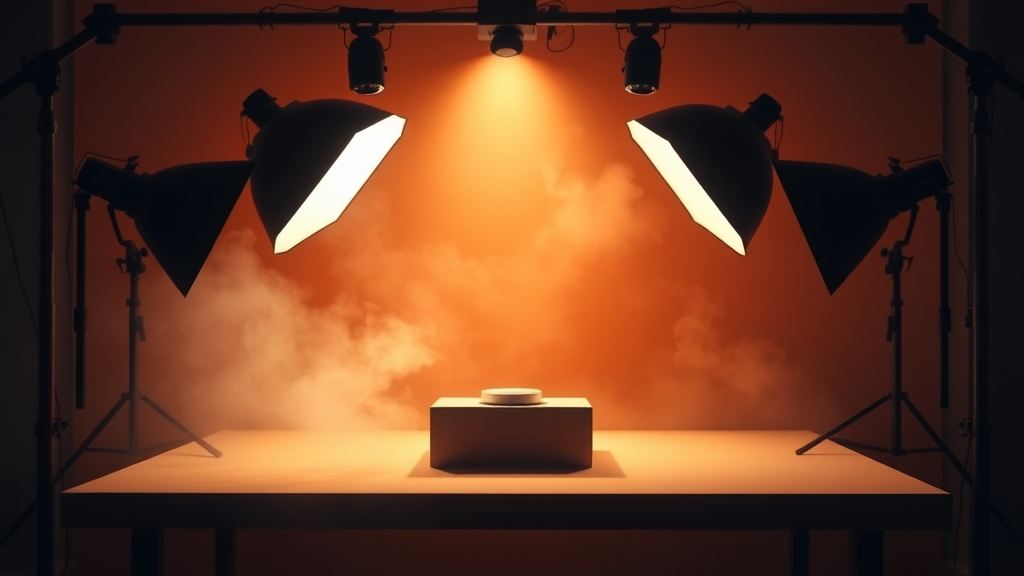
What Is Product Photo?
In the competitive world of e-commerce and digital marketing, high-quality product photography can make or break your sales. Professional photo shoots are expensive, time-consuming, and often require specialized equipment and expertise. That's where AI-powered product photography tools change the game entirely.
Product Photo on Luxoret is an innovative AI tool that transforms ordinary product images into professional, studio-quality photographs with custom backgrounds. Whether you're running an online store, creating marketing materials, or building a portfolio, this tool eliminates the need for expensive photography equipment or professional studios. Simply upload your product image, and the AI handles background removal, lighting adjustments, and scene composition to create eye-catching visuals that drive conversions.
What makes this tool particularly valuable is its accessibility. Available completely free on Luxoret.com, it democratizes professional product photography for small business owners, entrepreneurs, content creators, and marketers who need high-quality visuals without the high-end budget. From sleek white backgrounds for Amazon listings to lifestyle scenes that tell your brand story, Try Product Photo free on Luxoret and discover how AI can elevate your product presentation in minutes, not hours.
Key Features
- AI Background Removal: Automatically isolates your product with pixel-perfect precision, removing distracting or unprofessional backgrounds while preserving fine details like shadows and reflections.
- Custom Background Generation: Create unlimited background options from simple solid colors to complex lifestyle scenes, studio setups, or contextual environments that match your brand aesthetic.
- Studio Lighting Simulation: AI applies professional lighting techniques to enhance your product's appearance, adding depth, highlights, and shadows that make items look premium and three-dimensional.
- E-commerce Optimization: Generate images that meet marketplace requirements for Amazon, eBay, Shopify, and other platforms, with proper sizing, white backgrounds, and professional presentation standards.
- Batch Processing Capability: Upload multiple product images and apply consistent styling across your entire catalog, ensuring brand coherence and saving hours of manual editing time.
- High-Resolution Output: Export studio-quality images suitable for both web use and print materials, maintaining clarity and detail across all marketing channels.
- One-Click Enhancements: Apply automatic color correction, contrast adjustments, and professional finishing touches that make products look their absolute best without manual photo editing skills.
How to Use Product Photo: Step-by-Step
Best Use Cases
E-commerce Store Owners: Online retailers can create consistent, professional product listings across multiple marketplaces without hiring photographers. Generate Amazon-compliant white background images, create lifestyle shots for Instagram shopping, and produce catalog-ready photos that increase conversion rates and reduce return rates by accurately representing products.
Small Business Marketing: Local businesses and startups can compete with larger competitors by producing marketing materials that look professionally designed. Create product images for flyers, social media ads, email campaigns, and website banners without the overhead costs of traditional product photography services.
Social Media Content Creators: Influencers and content creators can showcase products in diverse, engaging settings that match their aesthetic. Generate multiple background variations for the same product to keep feed content fresh, create comparison shots, or match seasonal themes without multiple photo shoots.
Dropshippers and Print-on-Demand Sellers: Entrepreneurs who don't physically handle inventory can enhance supplier photos to create unique, branded product presentations. Transform generic manufacturer images into distinctive visuals that differentiate your store from competitors selling identical products.
Graphic Designers and Marketing Agencies: Creative professionals can streamline client workflows by quickly generating multiple product photo variations for presentations, mockups, and campaign concepts. Test different visual approaches before committing to expensive photo shoots.
Educational and Portfolio Projects: Students and emerging professionals can build impressive portfolios showcasing product photography skills without access to professional studios. Create case studies, practice commercial photography techniques, and develop a body of work that demonstrates creative vision and technical capability.
Pro Tips for Better Results
Start with the Best Source Image: While the AI is powerful, it works best with clear, well-lit source photos. Shoot your product in natural light or bright indoor lighting, ensuring the product is in focus and fills most of the frame. Higher quality inputs produce dramatically better outputs.
Match Backgrounds to Your Brand: Consistency builds brand recognition. Choose background styles that align with your brand identity—minimalist whites for modern tech products, warm wood textures for artisanal goods, or vibrant colors for youth-oriented items. Save your preferred settings to apply across multiple products.
Leverage Multiple Angles: Create a complete product presentation by generating professional images from different angles. Combine front views, side profiles, and detail shots with consistent backgrounds to give customers a comprehensive understanding of your product.
Experiment with Lifestyle Contexts: Don't limit yourself to standard studio backgrounds. Place products in realistic usage environments—kitchen items on countertops, outdoor gear in nature settings, or tech products on modern desks. Contextual images help customers envision products in their own lives.
Optimize for Each Platform: Generate platform-specific versions of your product photos. Create square images for Instagram, vertical formats for Pinterest, and horizontal compositions for website banners. The tool's flexibility allows you to repurpose one product shoot across all your marketing channels efficiently.
Frequently Asked Questions
Is Product Photo free to use?
Yes, Product Photo is completely free to use on Luxoret.com. You can create unlimited professional product images without any subscription fees, hidden costs, or usage limits. The tool is part of Luxoret's suite of 200+ AI-powered creative tools designed to make professional-quality content creation accessible to everyone.
What file formats does it support?
The tool supports all common image formats including JPG, JPEG, PNG, and WEBP. You can upload images in any of these formats, and the tool will process them effectively. For output, you can download your finished product photos in high-resolution PNG or JPG format, suitable for both web and print use.
Do I need photo editing experience to use this tool?
Not at all. Product Photo is designed for users of all skill levels, from complete beginners to professional designers. The AI handles complex tasks like background removal, lighting adjustments, and composition automatically. The interface is intuitive with simple controls, making it easy to create professional results even if you've never edited a photo before.
Can I use the images commercially?
Yes, images created with Product Photo can be used for commercial purposes including e-commerce listings, marketing materials, advertisements, and social media promotions. You retain full rights to the images you create, making them perfect for business use without licensing concerns.
How does this compare to hiring a professional photographer?
While professional photographers offer valuable expertise for complex shoots, Product Photo provides a cost-effective alternative for standard product photography needs. You save thousands of dollars in photography fees, studio rental, and editing costs while maintaining control over the creative process. It's ideal for businesses that need high-volume product images or want to test different visual approaches before investing in custom photography.
What image resolution can I expect?
The tool generates high-resolution images suitable for professional use across all platforms. Output quality is optimized for both digital displays (websites, social media, marketplaces) and print materials (catalogs, brochures, posters). The exact resolution depends on your source image quality, but the AI enhances and upscales when possible to ensure professional results.
Can I create consistent looks across multiple products?
Absolutely. One of the tool's strengths is maintaining visual consistency across your product catalog. Once you've selected background styles, lighting preferences, and composition settings you like, you can apply the same parameters to multiple product images. This creates a cohesive brand aesthetic that makes your product line look professionally curated.
Start Creating with Product Photo Today
Professional product photography no longer requires expensive equipment, studio space, or specialized skills. With AI-powered tools, you can create stunning, conversion-optimized product images in minutes, not days. Try Product Photo now — it's free and discover how easy it is to elevate your product presentation, increase sales, and build a brand that stands out in today's competitive marketplace.