What Is Makeup Tutorial?
The beauty industry has exploded on social media, with makeup tutorials generating billions of views across platforms like YouTube, Instagram, and TikTok. But creating professional-quality makeup tutorial videos traditionally requires expensive equipment, editing software, and hours of post-production work. That's where Luxoret's Makeup Tutorial tool changes everything.
The Makeup Tutorial is an AI-powered video creation tool designed to help beauty enthusiasts, content creators, makeup artists, and brands produce professional makeup tutorial videos without the technical complexity. Whether you're demonstrating a smoky eye technique, showcasing a full glam transformation, or creating educational content about skincare routines, this tool handles the heavy lifting of video production, allowing you to focus on your creative vision and beauty expertise.
What makes this tool particularly valuable is its accessibility. You don't need professional video editing experience, expensive cameras, or complex software installations. Try Makeup Tutorial free on Luxoret and discover how AI can transform your beauty content creation process, helping you produce engaging tutorials that capture close-up details, highlight techniques, and showcase stunning transformations that keep viewers engaged from start to finish.
Key Features
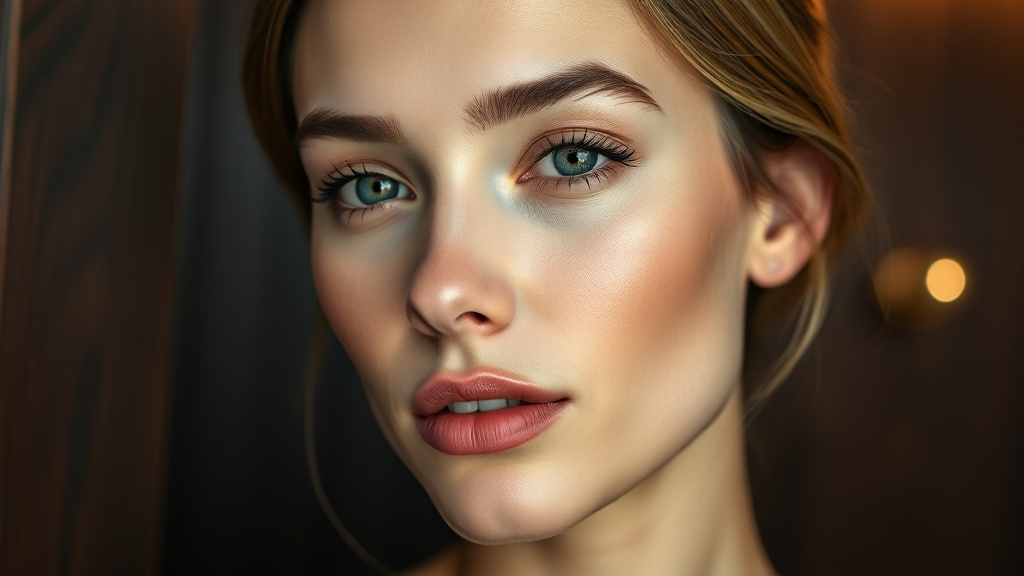
- Professional Close-Up Techniques: Automatically generates video sequences that highlight intricate makeup application details, ensuring viewers can see every brush stroke, blending technique, and product application clearly
- Glamorous Transformation Sequences: Creates compelling before-and-after transformations that showcase the full impact of makeup looks, perfect for building anticipation and engagement in your tutorials
- Beauty-Optimized Video Formatting: Produces videos specifically formatted for beauty content with proper lighting emphasis, color accuracy, and focus on facial features that matter most in makeup tutorials
- Multiple Tutorial Styles: Supports various tutorial formats including step-by-step guides, quick transformation videos, product reviews, and technique demonstrations tailored to different content strategies
- Platform-Ready Output: Generates videos optimized for different social media platforms, whether you're posting to YouTube, Instagram Reels, TikTok, or your website, with appropriate aspect ratios and durations
- AI-Enhanced Visual Quality: Leverages artificial intelligence to ensure consistent visual quality throughout your tutorial, maintaining focus on key details and creating a polished, professional appearance
- No Equipment Required: Eliminates the need for expensive ring lights, professional cameras, or complex editing setups—create stunning tutorials with just your creative input and the AI tool
How to Use Makeup Tutorial: Step-by-Step
Best Use Cases
Beauty Content Creators and Influencers: If you're building a following in the beauty space, consistent, high-quality tutorial content is essential. Use this tool to produce professional tutorials even when you don't have access to professional videography equipment or editing software. Create multiple tutorials quickly to maintain a consistent posting schedule that grows your audience.
Makeup Artists Showcasing Their Skills: Professional makeup artists can use the tool to create portfolio pieces that demonstrate their techniques and signature looks. Generate tutorials that potential clients can watch to understand your style, or create educational content that establishes you as an expert in specific techniques like bridal makeup, editorial looks, or special effects.
Beauty Brands and Product Marketing: Cosmetics companies can produce product demonstration videos that show their makeup in action. Create tutorials featuring new product launches, demonstrate application techniques for different items in your line, or produce user-generated-style content that feels authentic and relatable to potential customers.
Online Beauty Educators and Course Creators: If you teach makeup artistry online, this tool helps you create clear, professional instructional videos for your courses. Produce comprehensive tutorial libraries covering everything from basic techniques for beginners to advanced artistry for professional students, all with consistent quality and clear visual instruction.
Social Media Managers for Beauty Businesses: Marketing professionals managing social media for salons, spas, or beauty retailers can quickly generate engaging tutorial content that drives traffic and engagement. Create platform-specific content that showcases services, promotes products, or provides value to followers without requiring in-house video production capabilities.
Aspiring Makeup Artists Building Their Brand: If you're just starting your journey in the beauty industry, you need portfolio content but may lack professional production resources. Use this tool to create impressive tutorial videos that demonstrate your skills and help you build an online presence, even on a limited budget.
Pro Tips for Better Results
Focus on Clear Technique Demonstration: When inputting your tutorial concept, be specific about the techniques you want to highlight. Instead of just "eye makeup," specify "detailed demonstration of eyeshadow blending using windshield wiper motion and circular buffing techniques." The more precise your descriptions, the better the AI can emphasize those key teaching moments in your video.
Structure Your Content for Viewer Retention: Plan your tutorial with viewer engagement in mind. Start with a quick preview of the final look to hook viewers, then break down the process into clear steps. Include transformation reveals at strategic points to maintain interest throughout the video, especially in longer tutorials.
Optimize for Your Target Platform: Different social media platforms have different ideal video lengths and formats. Create shorter, punchy transformations (30-60 seconds) for TikTok and Instagram Reels, while developing more detailed, longer tutorials (5-15 minutes) for YouTube. Tailor your input to match platform-specific best practices.
Emphasize Product Visibility: If you're showcasing specific makeup products, mention this in your tutorial details so the AI can ensure products are visible and identifiable in the video. This is particularly important for affiliate marketing, sponsored content, or building credibility through product recommendations.
Batch Create Related Content: Maximize efficiency by creating multiple related tutorials in one session. For example, if you're doing a "Neutral Eye Look," also create variations like "Neutral Eye for Hooded Lids" or "Neutral Eye for Mature Skin." This helps you build a comprehensive content library quickly and maintain posting consistency.
Frequently Asked Questions
Is Makeup Tutorial free to use?
Yes, the Makeup Tutorial tool is available for free on Luxoret.com. You can create professional makeup tutorial videos without any upfront cost, making it accessible whether you're just starting your beauty content journey or you're an established creator looking to streamline your production process. Luxoret offers this as part of its suite of over 200 AI-powered creative tools.
What file formats does it support?
The tool generates videos in standard formats compatible with all major social media platforms and video hosting services, including MP4 and MOV. You can download your tutorials in various resolutions to match your specific needs, whether you're posting to Instagram, YouTube, TikTok, or embedding videos on your website.
Do I need video editing experience to use this tool?
Absolutely not. The Makeup Tutorial tool is designed for users of all skill levels, from complete beginners to experienced content creators. The AI handles the technical aspects of video creation, including sequencing, pacing, and visual optimization. You simply provide the creative direction for your tutorial, and the tool produces professional results.
Can I create tutorials for different makeup styles?
Yes, the tool is versatile enough to handle any makeup style or technique you want to demonstrate. Whether you're creating natural everyday looks, dramatic evening makeup, editorial artistry, special effects makeup, or cultural and traditional styles, the AI adapts to your specific tutorial needs and ensures appropriate visual presentation.
How long does it take to generate a tutorial video?
Generation time varies based on video length and complexity, but most tutorials are created within minutes. This is significantly faster than traditional video production, which can take hours or even days when you factor in filming, editing, color correction, and post-production. The AI-powered approach dramatically accelerates your content creation workflow.
Can I use these videos for commercial purposes?
Yes, videos created with the Makeup Tutorial tool can be used for commercial purposes, including sponsored content, product promotions, online courses, and professional portfolios. This makes it an excellent tool for makeup artists, beauty brands, and content creators who monetize their beauty content.
What makes this different from regular video editing software?
Traditional video editing software requires you to film raw footage, then spend hours editing, color grading, and assembling your tutorial. The Makeup Tutorial tool uses AI to generate professional tutorial videos based on your creative input, eliminating the need for expensive equipment, technical editing skills, and time-consuming post-production work. It's specifically optimized for beauty content, understanding the unique requirements of makeup tutorials.
Start Creating with Makeup Tutorial Today
The beauty content landscape is more competitive than ever, but with the right tools, you can create professional makeup tutorials that stand out and engage your audience. Whether you're building a beauty brand, growing your influence, or sharing your makeup artistry with the world, the Makeup Tutorial tool gives you the power to produce stunning video content without the traditional barriers of cost, equipment, and technical expertise. Try Makeup Tutorial now — it's free and transform how you create beauty content.