What Is Logo Design?
Creating a memorable logo is one of the most critical steps in building a brand identity, yet it's traditionally been an expensive and time-consuming process. Luxoret's Logo Design tool revolutionizes this challenge by harnessing artificial intelligence to generate professional logo concepts, brand marks, and corporate identity designs in minutes. Whether you're launching a startup, rebranding an existing business, or creating visual identities for clients, this powerful AI tool delivers clean vector designs that rival professional design studio output.
The Logo Design tool on Luxoret.com is built for entrepreneurs, marketers, designers, students, and small business owners who need high-quality branding without the traditional barriers of cost and complexity. Unlike generic logo generators that produce cookie-cutter results, this AI-powered platform creates unique, customizable designs tailored to your brand vision. From minimalist wordmarks to intricate emblems, the tool handles diverse design styles while maintaining professional standards that work across all media—from business cards to billboards.
What makes this tool particularly valuable is its accessibility. Try Logo Design free on Luxoret and experience professional-grade logo creation without subscription fees or design experience. The platform combines sophisticated AI algorithms with user-friendly controls, making professional branding achievable for everyone. Whether you need a single logo or multiple concepts to present to stakeholders, this tool streamlines the entire creative process while delivering results that establish credibility and recognition in your market.
Key Features
- AI-Powered Concept Generation: Advanced artificial intelligence analyzes your brand inputs and industry context to generate unique logo concepts that align with your vision, eliminating the blank canvas problem that stalls traditional design processes.
- Clean Vector Output: All logos are created as scalable vector graphics, ensuring your brand mark looks crisp and professional at any size—from social media avatars to large-format printing—without pixelation or quality loss.
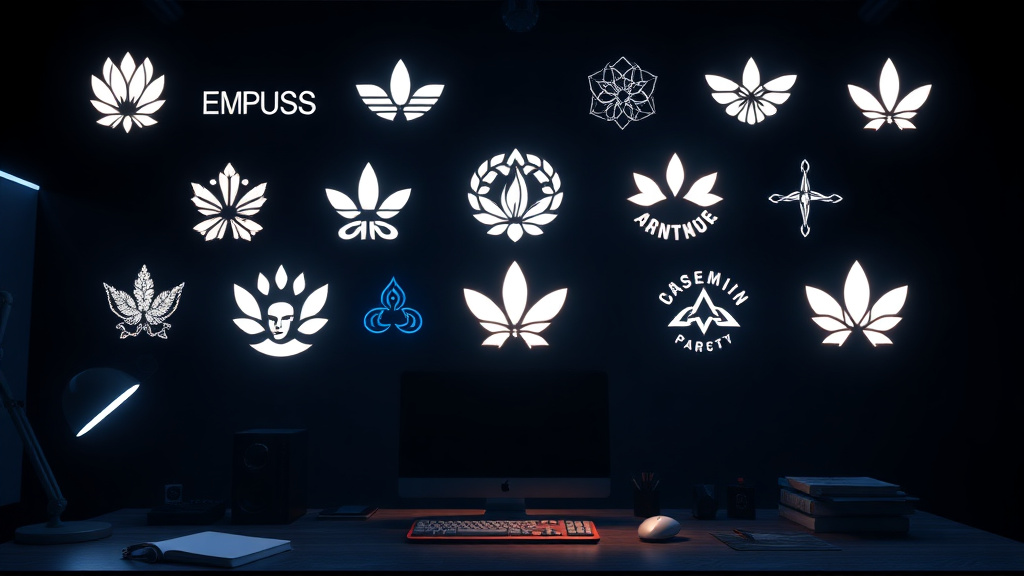
- Multiple Design Styles: Access diverse aesthetic approaches including minimalist, vintage, modern, geometric, abstract, and illustrative styles, allowing you to explore different visual directions for your brand identity.
- Customizable Elements: Fine-tune every aspect of your logo including colors, typography, layout, symbols, and spacing to perfectly match your brand personality and differentiate from competitors.
- Brand Mark Variations: Generate complete logo suites including primary logos, secondary marks, icon versions, and horizontal/vertical layouts to ensure versatility across all brand applications.
- Professional Typography Integration: Access carefully curated font pairings and typographic treatments that enhance readability and brand recognition while maintaining design sophistication.
- Industry-Specific Templates: Leverage design frameworks optimized for specific sectors including tech, retail, healthcare, finance, creative services, and more, ensuring your logo communicates the right professional signals.
How to Use Logo Design: Step-by-Step
Best Use Cases
Startup Branding: Entrepreneurs launching new ventures need professional branding quickly and affordably. The Logo Design tool enables founders to create compelling visual identities that establish credibility with investors, customers, and partners without draining limited startup capital on expensive design agencies.
Small Business Rebranding: Established businesses evolving their market position can explore fresh visual directions without committing to costly rebranding projects upfront. Generate multiple concepts to test with customers and stakeholders before finalizing your new identity.
Freelance Designers: Creative professionals can use the tool to accelerate client projects, generate initial concepts for presentations, or overcome creative blocks. The AI serves as a collaborative partner, suggesting directions you might not have considered while maintaining your creative control.
Student Projects: Marketing and design students working on case studies, class projects, or portfolio pieces can create professional-quality logos that demonstrate branding competency. The tool levels the playing field, allowing students to produce work quality previously requiring years of design experience.
Side Hustles and Personal Brands: Content creators, consultants, coaches, and solopreneurs building personal brands need distinctive logos that reflect their unique value propositions. The tool makes it easy to experiment with different visual approaches until you find the perfect representation of your personal brand.
Client Presentations: Agencies and consultants can rapidly generate multiple logo directions for client presentations, showing diverse creative approaches before investing significant design time. This accelerates the approval process and ensures client buy-in before detailed refinement begins.
Pro Tips for Better Results
Start Broad, Then Narrow: Generate multiple logo concepts exploring different styles and approaches before committing to a direction. What seems perfect initially might not resonate after seeing alternatives. Create at least 5-10 distinct concepts, then identify common elements in your favorites to guide refinement.
Consider Context and Application: Think beyond how your logo looks in isolation. Visualize it on business cards, websites, social media profiles, packaging, and signage. The best logos maintain impact and recognizability across all these contexts, so test your designs at various sizes and in different environments.
Embrace Simplicity: While detailed, intricate logos can be beautiful, the most memorable and versatile brand marks are often surprisingly simple. Iconic logos like Apple, Nike, and Target prove that simplicity enhances recognition. Resist the temptation to add unnecessary complexity—if an element doesn't strengthen your brand message, remove it.
Test in Monochrome: Great logos work in single colors, not just full color. Test your design in black, white, and grayscale to ensure it remains recognizable and impactful. This versatility is essential for applications like embossing, engraving, faxes, and single-color printing.
Get External Feedback: You're too close to your brand to be objective. Share your top logo candidates with trusted colleagues, potential customers, or target audience members. Ask specific questions about what the logo communicates, what emotions it evokes, and whether it feels appropriate for your industry. Fresh perspectives reveal blind spots and validate strong choices.
Frequently Asked Questions
Is Logo Design free to use?
Yes, the Logo Design tool is available free on Luxoret.com. You can generate, customize, and download professional logo concepts without subscription fees or hidden costs. This accessibility makes professional branding available to everyone, regardless of budget constraints.
What file formats does it support?
The tool outputs clean vector graphics that maintain quality at any scale. Vector formats are essential for professional logo use because they can be resized infinitely without losing clarity—perfect for everything from tiny social media icons to massive billboard applications.
Do I need design experience to use this tool?
No design experience is necessary. The Logo Design tool is built with intuitive controls and AI guidance that makes professional logo creation accessible to complete beginners. The AI handles complex design principles while you focus on communicating your brand vision and preferences.
Can I use the logos commercially?
Yes, logos created with the tool can be used for commercial purposes including business branding, product packaging, marketing materials, and digital platforms. The designs you create are yours to use for building and promoting your brand.
How is this different from hiring a designer?
While professional designers bring valuable expertise and custom creativity, the Logo Design tool offers speed, affordability, and iteration flexibility that traditional design can't match. It's ideal for budget-conscious projects, rapid concept exploration, or situations where you need multiple options quickly. Many users combine both approaches—using the AI tool for initial concepts, then refining favorites with professional designers.
Can I modify the logos after generating them?
Absolutely. The tool includes comprehensive customization options allowing you to adjust colors, typography, layout, sizing, and individual design elements. This flexibility ensures you can refine AI-generated concepts to perfectly match your brand vision.
How many logo variations can I create?
There's no limit to the number of logo concepts you can generate. Experiment freely with different styles, color schemes, and approaches until you find the perfect brand mark. This unlimited exploration is one of the tool's key advantages over traditional design services with fixed revision limits.
Start Creating with Logo Design Today
Your brand deserves a professional visual identity that captures attention, builds recognition, and communicates your unique value. With Luxoret's Logo Design tool, that professional branding is just minutes away—no design degree or expensive agency required. Try Logo Design now — it's free and discover how AI-powered creativity can transform your brand vision into a compelling visual reality that drives business success.