What Is Fashion Design?
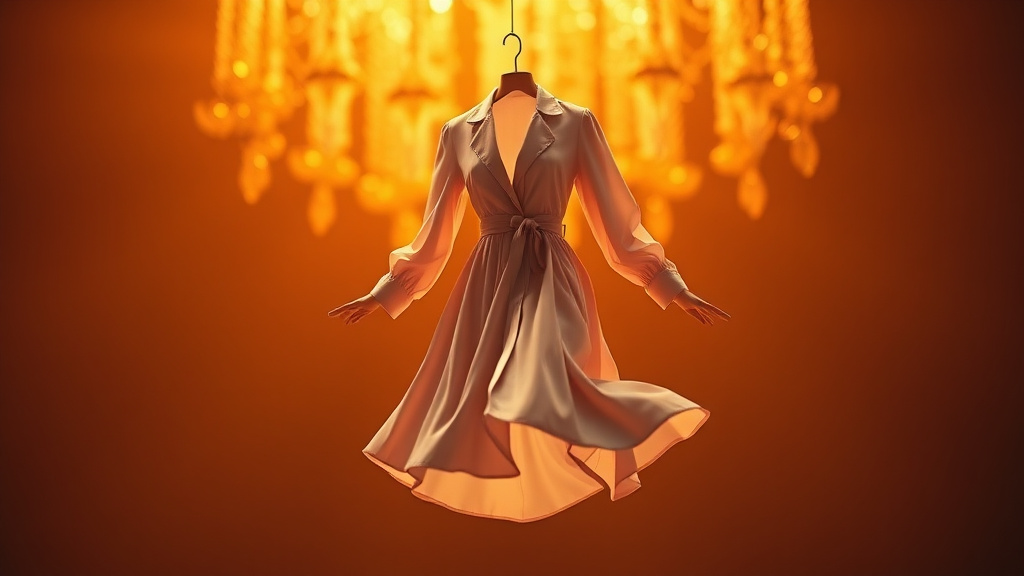
The Fashion Design tool on Luxoret.com is an AI-powered creative platform that transforms your fashion ideas into professional-quality illustrations, clothing designs, and outfit concepts. Whether you're sketching your first collection, developing mood boards for clients, or exploring new style directions, this innovative tool brings your vision to life with runway-ready styling and realistic fabric textures that capture the essence of haute couture.
Designed for fashion designers, stylists, students, marketers, and creative professionals, this tool eliminates the traditional barriers to fashion illustration. You don't need years of drawing experience or expensive design software to create compelling fashion visuals. The AI understands fashion terminology, fabric characteristics, and styling principles, allowing you to generate everything from elegant evening gowns to streetwear collections with remarkable detail and accuracy.
Best of all, you can Try Fashion Design free on Luxoret without any subscription requirements. As part of Luxoret's comprehensive suite of 200+ AI tools, Fashion Design gives you professional-grade capabilities that previously required specialized skills and costly software licenses. Whether you're preparing a portfolio, pitching to clients, or simply exploring your creative vision, this tool makes fashion design accessible to everyone.
Key Features
- Runway-Ready Styling: Generate fashion illustrations that capture the sophistication and elegance of professional runway presentations, complete with proper proportions, dynamic poses, and editorial-quality composition.
- Realistic Fabric Textures: Visualize how different materials will look in your designs, from flowing silk and structured denim to luxurious velvet and delicate lace, with accurate draping and texture rendering.
- Complete Outfit Design: Create full looks including clothing, accessories, and styling details that work together cohesively, helping you visualize entire collections or capsule wardrobes.
- Multiple Style Directions: Explore various fashion aesthetics from haute couture and ready-to-wear to streetwear, vintage, and avant-garde, allowing you to experiment with different design directions quickly.
- Technical Specification Support: Generate designs with attention to construction details, seam lines, and garment structure that can inform actual pattern-making and production processes.
- Seasonal Collection Development: Design coordinated pieces that work as cohesive collections, with consistent color palettes, themes, and styling elements across multiple garments.
- Instant Iteration: Rapidly explore variations of a design concept, testing different colors, silhouettes, and details without starting from scratch each time.
How to Use Fashion Design: Step-by-Step
Best Use Cases
Fashion Design Students: Build comprehensive portfolios showcasing diverse design capabilities without needing advanced illustration skills. Create collection boards for class projects, explore different aesthetic directions for assignments, and visualize technical design concepts before committing to physical samples. The tool helps you communicate your creative vision professionally, even while you're still developing traditional drawing skills.
Independent Fashion Designers: Rapidly prototype new collection ideas and test market interest before investing in sample production. Generate lookbooks for social media marketing, create pitch materials for potential investors or retailers, and explore seasonal trends with quick visual iterations. Save significant time and money in the early design development phase.
Stylist and Personal Shoppers: Visualize outfit combinations and styling concepts for clients before shopping or pulling pieces. Create custom lookbooks showing how different garments work together, demonstrate seasonal wardrobe updates, and communicate styling visions clearly. Help clients understand your creative direction with concrete visual examples.
Fashion Marketers and Brands: Develop marketing materials, social media content, and campaign visuals that showcase your brand aesthetic. Create consistent visual content for product launches, generate inspiration boards for photoshoots, and maintain a cohesive brand identity across platforms. Perfect for emerging brands working with limited photography budgets.
Costume Designers: Conceptualize character wardrobes for film, theater, or cosplay projects. Visualize period-appropriate designs, fantasy costumes, or futuristic concepts quickly. Present multiple options to directors or clients, and create detailed reference materials for costume construction teams.
Fashion Bloggers and Influencers: Generate original fashion content, trend predictions, and style inspiration posts that stand out from standard product photography. Create unique visual content that showcases your aesthetic vision, illustrate fashion trend analyses, and develop a distinctive visual brand for your platform.
Pro Tips for Better Results
Be Specific About Fabrics and Textures: The more detailed you are about materials, the better your results. Instead of just "dress," try "flowing silk charmeuse evening gown with subtle sheen" or "structured wool blazer with visible twill weave." Mentioning fabric characteristics like drape, weight, and finish helps the AI render more realistic and appropriate textures.
Include Styling Context: Describe not just the garment but the complete vision. Mention the setting ("red carpet," "street style," "resort wear"), mood ("edgy," "romantic," "minimalist"), and era influences ("1970s bohemian," "futuristic," "classic tailoring"). This context helps create more cohesive, professional-looking fashion illustrations.
Reference Specific Design Elements: Call out construction details like "princess seams," "raglan sleeves," "asymmetric hemline," or "mandarin collar." Technical terminology helps generate more accurate and sophisticated designs that reflect actual garment construction principles.
Experiment with Color Descriptions: Go beyond basic colors to include nuances like "dusty rose," "midnight navy," "champagne gold," or "forest green." Describe color relationships like "monochromatic," "complementary contrast," or "tonal gradation" for more sophisticated color palettes.
Create Design Series: Generate multiple pieces with consistent descriptive elements to develop cohesive collections. Use similar fabric descriptions, color palettes, and styling references across different garments to create a unified aesthetic that tells a complete design story.
Frequently Asked Questions
Is Fashion Design free to use?
Yes, the Fashion Design tool is completely free to use on Luxoret.com. You can access it without any subscription fees or payment requirements. Simply visit the platform and start creating fashion illustrations immediately. There are no hidden costs or premium tiers blocking essential features.
What file formats does it support?
The Fashion Design tool generates high-quality images that you can download in standard formats suitable for various uses. These images work perfectly for digital portfolios, social media posts, presentations, mood boards, and reference materials. The output quality is optimized for both screen display and printing.
Do I need design experience to use this tool?
No design experience is necessary. The tool is built to be accessible for everyone, from complete beginners to professional designers. If you can describe what you envision in words, the AI can transform it into a visual design. However, knowledge of fashion terminology and garment construction can help you create more specific and sophisticated results.
Can I use the designs for commercial purposes?
Yes, you can use the fashion illustrations generated by the tool for your commercial projects, including portfolios, client presentations, marketing materials, and social media content. The designs can serve as inspiration and reference for actual garment production, though you should ensure any final products are your own creative work.
How detailed should my descriptions be?
More detailed descriptions generally produce better results. Include information about garment type, silhouette, fabric, color, styling details, and aesthetic direction. However, the tool is flexible—you can start with a simple concept and refine through iteration, or provide comprehensive descriptions from the start.
Can I create entire fashion collections?
Absolutely! The tool is perfect for developing cohesive collections. Generate multiple pieces with consistent design elements, color palettes, and aesthetic themes. Many designers use it to visualize seasonal collections, capsule wardrobes, or themed design series before moving to physical production.
What styles of fashion can I create?
The tool supports virtually any fashion aesthetic, from haute couture and ready-to-wear to streetwear, vintage, avant-garde, sustainable fashion, athletic wear, and everything in between. You can explore historical fashion periods, cultural dress traditions, futuristic concepts, or contemporary trends with equal ease.
Start Creating with Fashion Design Today
Whether you're a fashion student building your first portfolio, an independent designer developing your next collection, or a creative professional exploring new visual directions, the Fashion Design tool gives you professional-grade capabilities without the traditional barriers. Transform your fashion visions into stunning illustrations that capture the sophistication of runway-ready designs. Try Fashion Design now — it's free and discover how AI can amplify your creative potential.