What Is Eye Color Changer?
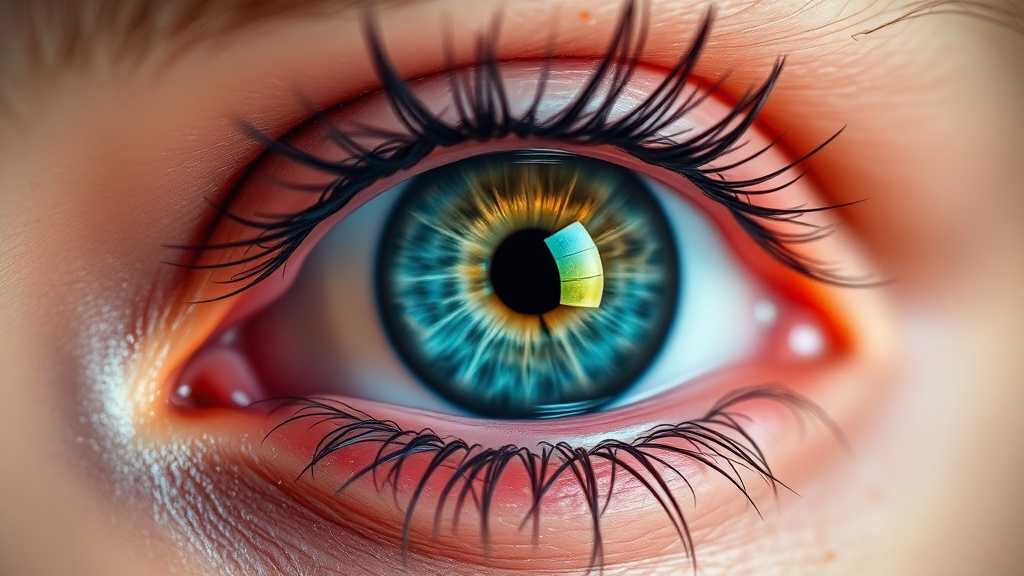
Eye Color Changer is an advanced AI-powered tool that lets you transform the eye color in any photo with stunning photorealistic results. Whether you're curious about how you'd look with piercing blue eyes, mysterious green eyes, or rare violet eyes, this tool makes it possible in just seconds. Simply upload a selfie or portrait, select your desired eye color from six beautiful options—blue, green, hazel, gray, amber, or violet—and watch as artificial intelligence seamlessly transforms your appearance while maintaining natural lighting, reflections, and iris patterns.
This tool is perfect for content creators experimenting with different looks, photographers editing portraits, marketers creating diverse visual content, students working on design projects, or anyone curious about how they'd appear with a different eye color. Unlike traditional photo editing that requires advanced Photoshop skills and hours of manual work, Eye Color Changer delivers professional-quality results instantly, making it accessible to everyone regardless of technical expertise.
Best of all, Eye Color Changer is completely free to use on Luxoret.com, an all-in-one AI platform featuring over 200 creative tools. No subscriptions, no hidden fees—just upload your photo and transform your look in seconds. Try Eye Color Changer free on Luxoret and discover how AI can revolutionize your photo editing workflow.
Key Features
- Six Photorealistic Eye Colors: Choose from blue, green, hazel, gray, amber, or violet eye colors, each rendered with natural depth, texture, and light reflection that matches real human eyes.
- AI-Powered Precision: Advanced machine learning algorithms automatically detect eyes in your photos and apply color changes with pixel-perfect accuracy, preserving natural iris patterns and pupil details.
- Instant Processing: Get professional-quality results in seconds, not hours. The AI processes your image immediately, eliminating the tedious manual editing required in traditional photo editing software.
- Natural Light Adaptation: The tool intelligently analyzes lighting conditions in your original photo and adjusts the new eye color accordingly, ensuring reflections, shadows, and highlights look completely authentic.
- High-Resolution Output: Download your transformed images in full resolution, perfect for social media profiles, professional headshots, creative portfolios, or printing.
- No Technical Skills Required: Simple, intuitive interface designed for everyone—from complete beginners to professional photographers. Just upload, select, and download.
- Privacy-Focused Processing: Your photos are processed securely and aren't stored permanently on servers, ensuring your personal images remain private.
How to Use Eye Color Changer: Step-by-Step
Ready to see yourself in a whole new light? Start transforming your photos now with this powerful AI tool.
Best Use Cases
Social Media Content Creation: Influencers and content creators can use Eye Color Changer to create eye-catching profile pictures, experiment with different aesthetic looks for themed content, or generate multiple variations of the same photo for A/B testing which images resonate best with their audience. The tool helps maintain a fresh, engaging social media presence without expensive photoshoots.
Character Design and Cosplay: Writers, game developers, and cosplay enthusiasts can visualize characters with specific eye colors before committing to colored contacts or digital artwork. This is invaluable for character development, helping creators see how different eye colors affect a character's overall appearance and emotional impact.
Professional Headshots and Portfolios: Models and actors can expand their portfolio diversity by showing casting directors how they'd look with different eye colors. This demonstrates versatility without the hassle and expense of purchasing multiple sets of colored contact lenses or conducting separate photoshoots.
Marketing and Advertising: Marketing teams can create diverse visual content representing different demographics and appearances from a single photoshoot. This is particularly useful for A/B testing ad creatives, creating inclusive marketing materials, or demonstrating product versatility across different consumer segments.
Educational and Research Projects: Students studying genetics, biology, or digital media can use the tool to illustrate eye color variations, demonstrate photo editing techniques, or create visual aids for presentations. It's also useful for psychology researchers studying perception and attractiveness.
Personal Curiosity and Fun: Sometimes you just want to know how you'd look with different colored eyes! Whether you're considering colored contacts, satisfying curiosity about your appearance, or creating fun content to share with friends and family, Eye Color Changer makes experimentation easy and entertaining.
Pro Tips for Better Results
Use High-Quality, Well-Lit Photos: The AI produces the most realistic results when working with clear, sharp images where eyes are well-lit and in focus. Natural daylight or soft studio lighting works best. Avoid photos with harsh shadows across the eyes, extreme backlighting, or blurry focus that can make the transformation look less natural.
Ensure Eyes Are Fully Visible: For optimal results, use photos where both eyes are open, facing forward, and not obscured by sunglasses, hair, or heavy shadows. The more clearly the AI can detect your natural iris, the more convincingly it can apply the new color while preserving authentic eye structure and patterns.
Experiment with Complementary Colors: Consider your skin tone, hair color, and overall aesthetic when choosing eye colors. Cooler eye colors like blue and gray often complement warmer skin tones beautifully, while amber and hazel can create stunning contrast with cooler complexions. Don't be afraid to try unexpected combinations—you might discover a look you never imagined.
Compare Multiple Options Side-by-Side: Download several variations with different eye colors and view them together to make the best choice for your specific purpose. What looks perfect in isolation might not be the ideal choice when compared directly to other options. This comparison approach is especially valuable for professional projects.
Pay Attention to Context: If you're using the transformed photo for professional purposes, choose eye colors that look natural and believable within your industry's context. For creative projects, feel free to experiment with more dramatic or unusual colors like violet or intense amber that make a bold statement.
Frequently Asked Questions
Is Eye Color Changer free to use?
Yes, Eye Color Changer is completely free to use on Luxoret.com. There are no hidden fees, subscription requirements, or usage limits. You can transform as many photos as you want and download all your results without paying anything. Luxoret offers this tool as part of its suite of over 200 free AI-powered creative tools.
What file formats does it support?
The tool supports all common image formats including JPG, JPEG, PNG, and WebP. For best results, use high-resolution images in JPG or PNG format. The tool can process images of various sizes, though extremely large files may take slightly longer to process.
How realistic do the results look?
The AI produces highly photorealistic results by analyzing the original eye structure, lighting conditions, and iris patterns in your photo. It doesn't simply overlay a color filter—instead, it intelligently transforms the eye color while preserving natural depth, reflections, catchlights, and texture. Most users find the results indistinguishable from naturally occurring eye colors when using high-quality source photos.
Can I use the tool on photos of other people?
Technically yes, the tool works on any portrait photo, but you should always have permission before editing and sharing photos of other people. Respect privacy and consent, especially if you plan to post edited photos publicly. The tool is designed for personal use, creative projects, and professional applications where appropriate permissions are obtained.
Will the tool work if I'm wearing glasses?
The tool works best on photos where eyes are clearly visible without obstruction. If you're wearing glasses, results may vary depending on lens reflection, tint, and how clearly your eyes are visible through the lenses. For optimal results, use photos without glasses. If you must use a photo with glasses, ensure they're clear (not tinted) and positioned so your eyes are fully visible.
Can I undo or try different colors?
Absolutely! The tool doesn't permanently alter your original photo. Each time you select a different eye color, the AI processes your original uploaded image with the new color choice. You can experiment with all six available colors as many times as you want, downloading your favorites and comparing them side-by-side.
What if the tool doesn't detect my eyes correctly?
The AI is highly accurate at detecting eyes in standard portrait photos, but occasionally challenging lighting, extreme angles, or obstructions can affect detection. If this happens, try uploading a different photo where your face is more directly visible, eyes are open, and lighting is more even. Front-facing photos with good lighting yield the most reliable results.
Can I use these images commercially?
You retain full rights to images you create with Eye Color Changer. However, if you're using photos of other people (models, stock photos, etc.), ensure you have the appropriate licenses and permissions for commercial use of those original images. The transformation itself doesn't create copyright issues, but the underlying photograph must be properly licensed for your intended use.
Start Creating with Eye Color Changer Today
Transforming your look has never been easier or more accessible. Whether you're creating content, building a portfolio, satisfying curiosity, or working on a creative project, Eye Color Changer delivers professional-quality results in seconds without requiring any technical expertise. Try Eye Color Changer now — it's free and discover the power of AI-driven photo transformation at your fingertips.