AI Beard Removal: Remove Facial Hair from Photos Instantly
Ever wondered what you'd look like without your beard? Whether you're considering a clean-shaven look, need professional headshots, or simply want to experiment with your appearance, removing facial hair from photos has never been easier. With AI-powered technology, you can now preview yourself without a beard in seconds—no razors, no commitment, and no risk.
What Is Beard Removal?
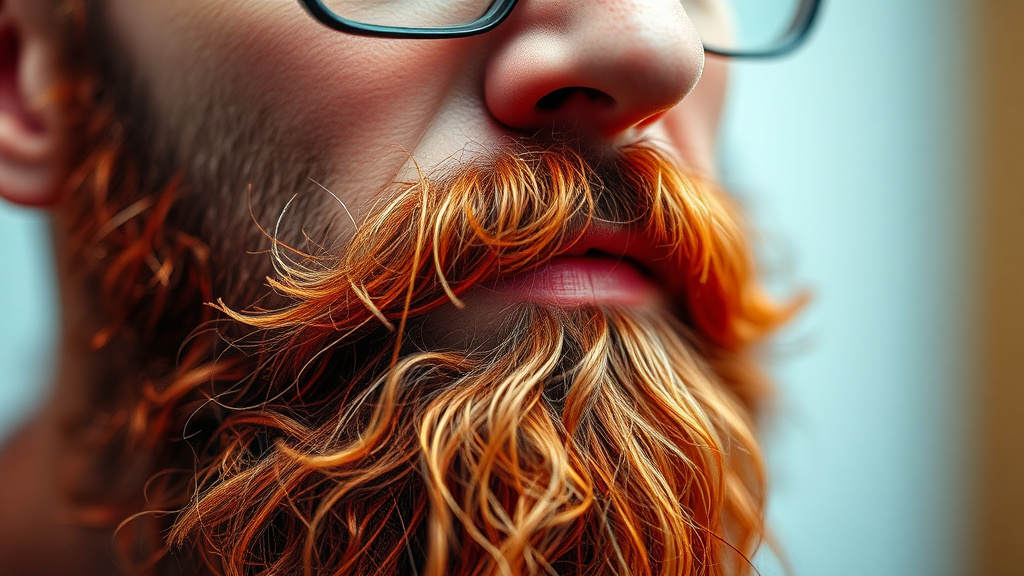
Beard Removal is an AI-powered image editing tool that cleanly removes beards and mustaches from photos with remarkable precision. Unlike traditional photo editing that requires hours of manual work and professional skills, this intelligent tool analyzes your facial features and seamlessly removes facial hair while maintaining natural skin texture, tone, and lighting. The result? A realistic preview of how you'd look clean-shaven, delivered in seconds.
Whether you're a professional updating your LinkedIn profile, a content creator exploring different looks, or someone curious about changing your style, this tool offers a risk-free way to visualize the transformation. Simply upload a selfie, and the AI handles the complex work of identifying facial hair patterns, understanding skin texture beneath, and rendering a natural clean-shaven appearance. Try Beard Removal free on Luxoret and see yourself in a completely new light.
What makes this tool particularly valuable is its accessibility—no design experience required, no expensive software to purchase, and no learning curve to overcome. It's available free on Luxoret.com as part of a comprehensive suite of over 200 creative AI tools, making professional-quality image editing accessible to everyone.
Key Features
- AI-Powered Precision: Advanced machine learning algorithms detect and remove facial hair with pixel-perfect accuracy, distinguishing between beard, mustache, and skin with remarkable intelligence.
- Natural Skin Reconstruction: The tool doesn't just erase facial hair—it intelligently reconstructs the underlying skin texture, matching your natural complexion, pores, and skin tone for photorealistic results.
- Instant Processing: Upload your photo and receive your clean-shaven preview in seconds, not hours. No waiting, no rendering delays—just immediate results you can download and use.
- Preserves Image Quality: The AI maintains the original resolution and quality of your photo, ensuring your edited image looks professional and sharp, not pixelated or degraded.
- Works with Various Beard Styles: From full beards and goatees to stubble and mustaches, the tool handles all facial hair types and lengths with equal effectiveness.
- No Installation Required: Browser-based technology means you can use this tool from any device—desktop, tablet, or smartphone—without downloading software or apps.
- Privacy-Focused: Your photos are processed securely and aren't stored permanently, ensuring your personal images remain private and protected.
How to Use Beard Removal: Step-by-Step
Best Use Cases
Professional Headshot Preparation: Before committing to shaving for an important job interview, corporate headshot, or LinkedIn profile update, preview how you'll look clean-shaven. This helps you make informed grooming decisions and ensures you're confident with your professional appearance before important career moments.
Dating Profile Optimization: Online dating often requires multiple photos showing different looks. Use Beard Removal to create variety in your profile—show both your bearded and clean-shaven appearance, giving potential matches a fuller picture of your versatility and helping you stand out in a crowded field.
Content Creator Experimentation: YouTubers, TikTokers, and Instagram influencers can use this tool to create engaging before-and-after content, poll their audience on potential appearance changes, or simply experiment with their on-camera look without the commitment of actually shaving.
Acting and Modeling Portfolio Development: Actors and models need versatile portfolios showing different looks. Generate clean-shaven versions of your headshots to demonstrate range and book roles that require a clean-cut appearance, all without actually changing your current look.
Military and Corporate Compliance Preview: Some professions require clean-shaven appearances. Before joining the military, entering law enforcement, or starting a job with strict grooming policies, visualize your compliant appearance and mentally prepare for the change.
Personal Style Exploration: Sometimes you're simply curious. Maybe you've had a beard for years and forgotten what you look like without it, or you're considering growing one and want to see the contrast. This tool satisfies that curiosity instantly, helping you make style decisions with confidence.
Pro Tips for Better Results
Use High-Quality, Well-Lit Photos: The AI performs best with clear, well-lit images where facial features are easily distinguishable. Natural daylight or even studio lighting produces superior results compared to dim, shadowy, or poorly lit selfies. Front-facing photos work better than extreme angles.
Ensure Your Face Is Fully Visible: Avoid photos where hands, objects, or other people partially obscure your face. The AI needs a clear view of your facial structure and beard area to accurately reconstruct the clean-shaven appearance. Remove sunglasses and ensure your entire face is in frame.
Try Multiple Photos for Comparison: Different angles, lighting conditions, and facial expressions can yield varying results. Upload several photos to see how you'd look clean-shaven in different contexts—smiling, serious, profile view, and straight-on shots all provide valuable perspectives.
Consider Your Skin Tone Variation: If you have a tan line where your beard is (common for longtime beard wearers), the AI will show this natural variation. This is actually realistic—if you shaved in real life, that skin would initially be lighter until it matches the rest of your face through sun exposure.
Combine with Other Luxoret Tools: After removing your beard, experiment with other image enhancement tools on Luxoret.com. Try background removal for professional headshots, image enhancement for better quality, or AI filters to further customize your appearance and create the perfect final image.
Frequently Asked Questions
Is Beard Removal free to use?
Yes, Beard Removal is completely free to use on Luxoret.com. There are no hidden fees, subscription requirements, or credit card information needed to access the tool. Simply visit the website, upload your photo, and download your results at no cost. Luxoret offers this as part of its mission to make professional-quality AI tools accessible to everyone.
What file formats does it support?
The Beard Removal tool supports all common image formats including JPG/JPEG, PNG, and WEBP files. These cover virtually all photos from smartphones, digital cameras, and existing image files. The tool automatically processes whatever format you upload and delivers results in a universally compatible format for easy downloading and sharing.
How accurate is the AI at removing beards?
The AI is remarkably accurate, using advanced machine learning trained on millions of facial images. It can distinguish between facial hair and skin, understand facial contours, and reconstruct natural-looking skin texture. While results vary based on photo quality and beard complexity, most users find the output highly realistic and convincing. Dense, well-defined beards typically produce the best results.
Will it work on mustaches and goatees too?
Absolutely! The tool is designed to remove all types of facial hair including full beards, mustaches, goatees, stubble, soul patches, and any combination thereof. The AI recognizes various facial hair patterns and styles, removing them while preserving your natural facial features and expressions.
Can I use this for professional purposes?
Yes, the output quality is suitable for professional use including LinkedIn profiles, corporate headshots, acting portfolios, and business websites. However, we recommend using the tool as a preview before making actual grooming changes for official documentation. For legal documents like passports or driver's licenses, you'll need actual photos of your current appearance.
Does the tool store my photos?
Luxoret prioritizes user privacy. Photos are processed securely and are not permanently stored on servers. Your images are handled solely for the purpose of applying the AI transformation, then removed from temporary processing memory. Your personal photos remain private and are never used for training data or shared with third parties.
What if I don't like the results?
If the results don't meet your expectations, try uploading a different photo with better lighting or a clearer view of your face. Photo quality significantly impacts AI performance. You can also experiment with different facial expressions and angles. Remember, the tool is designed for previewing possibilities—it's a helpful visualization aid, not a commitment to actually changing your appearance.
Start Creating with Beard Removal Today
Whether you're contemplating a major style change, need professional headshots, or are simply curious about your clean-shaven appearance, AI-powered beard removal makes visualization instant and effortless. No razors, no regrets—just realistic previews that help you make confident decisions about your look. Try Beard Removal now — it's free and discover a new perspective on your appearance in seconds.